


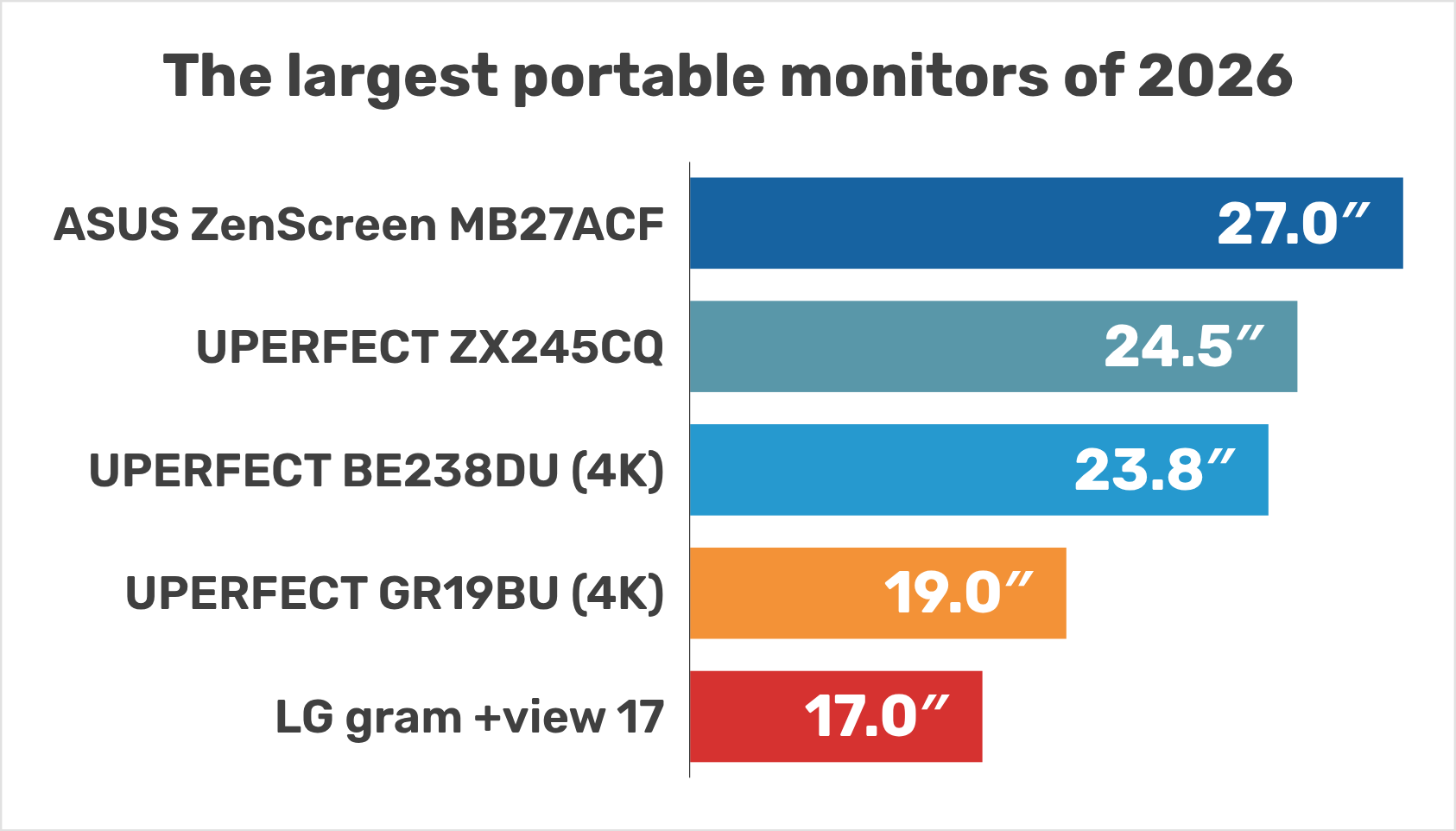
The largest portable monitors available in 2026 (17 to 27 inches, drawn to scale)
Last updated on October 2, 2026.
Portable monitors start where tablets stop. Most of them have a 15.6 or 16-inch screen, but some go much further: 17, 18.5, 21.5, 24 and even 27 inches. This article lists every portable monitor of 17 inches and more that we found in October 2026 (32 models), compares them by screen area and weight, and draws them to scale.
Specifications come from the manufacturers and from reviews (sources in the text). Prices are those of the makers’ stores on October 2, 2026 — often temporary sale prices.
I am registered with the Amazon Associates Program. This website contains Amazon affiliate links (marked with a star). If you click on one of these links and make a purchase, I may receive a commission from Amazon.
Clicking on an affiliate link does not change the price you pay. As an Amazon Associate I earn from qualifying purchases.
 I am a classical musician (violist) with 20 years of professional experience in orchestra and chamber music. For many years, I have been advising colleagues, students, and fellow musicians in the choice of their tablet.
Along with the many positives of using tablets, I’ve also seen the negatives: tablets crashing just before going on stage, batteries that don’t hold up during long rehearsal days, and missing page turner pedals in concert.
Quick answer
The largest portable monitor you can buy is the 27-inch ASUS ZenScreen MB27ACF (2.98 kg). It even runs on a single USB-C cable — at only 85 nits, according to ASUS. The largest ones you would realistically carry every day are the 18 to 18.5-inch models, which weigh 0.87 to 1.12 kg.
- Largest: ASUS ZenScreen MB27ACF (27″), then UPERFECT’s 24.5 and 23.8-inch “UMax” models.
- Best size for travel: 17 to 18.5 inches. The 18-inch UPERFECT GR18BQ weighs only 870 g for 40 % more screen area than a 15.6-inch monitor.
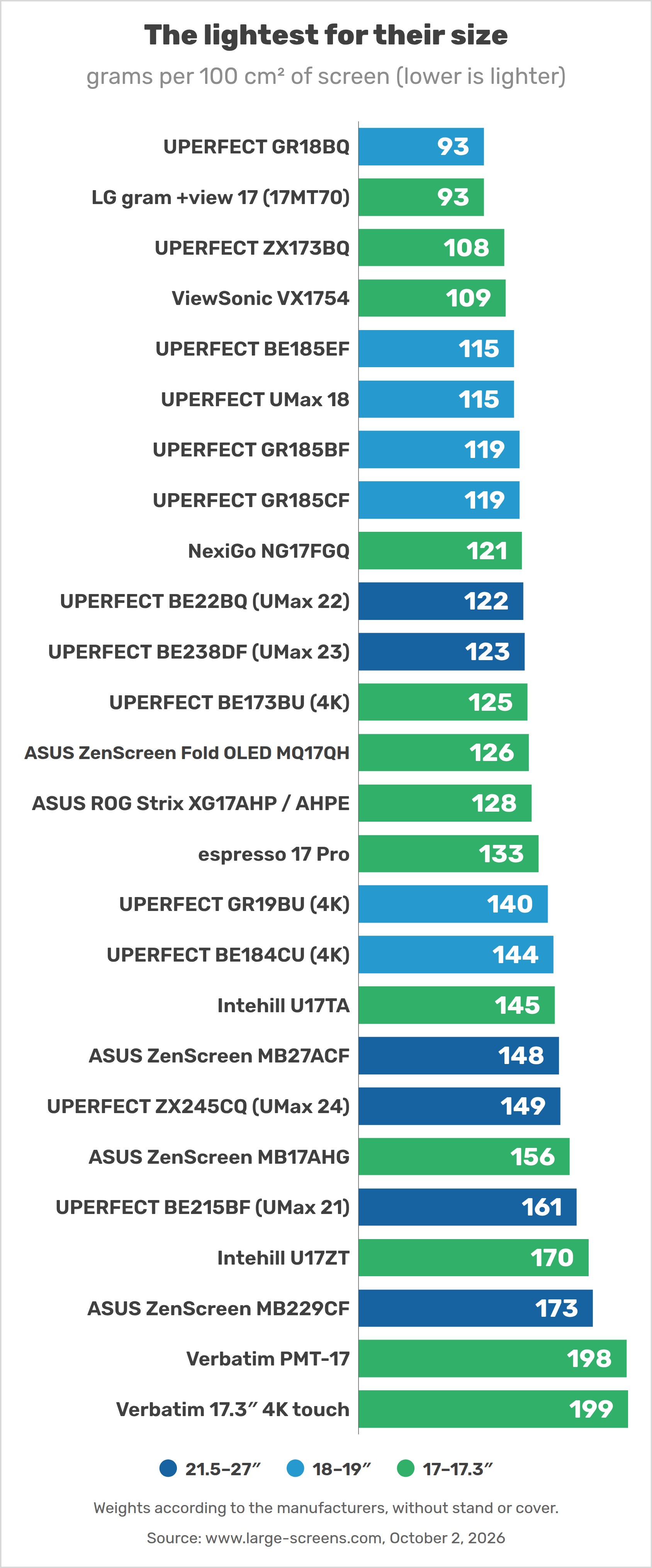
- Lightest for its size: the LG gram +view 17 (780 g), whose 17-inch 16:10 screen is even a little larger than a 17.3-inch 16:9 one.
- Power: large screens draw 5 to 19 W. Plan on a charger in the monitor’s second USB-C port: on laptop power alone, most of them dim themselves.
- Mac users: check how many external displays your chip supports (M1 and M2 MacBook Air: only one).
Table of contents
- 1. The largest portable monitors, to scale
- 2. Table of the largest portable monitors
- 3. How much bigger is 17, 18.5, 24 or 27 inches?
- 4. 21.5 to 27 inches: the largest “portable” monitors
- 5. 18 to 19-inch portable monitors
- 6. 17 and 17.3-inch portable monitors
- 7. 16 inches: the new standard size
- 8. Dual and stacked portable monitors
- 9. Buyer’s guide for large portable monitors
- 10. FAQ: the largest portable monitors
- 11. Wrap-up: the best large portable monitor in each category
1. The largest portable monitors, to scale
The drawing shows the real screen sizes of the main portable monitor classes, from the classic 15.6-inch to the 27-inch ASUS ZenScreen MB27ACF. A 27-inch screen has three times the area of a 15.6-inch one (311.5 vs. 104 in²).
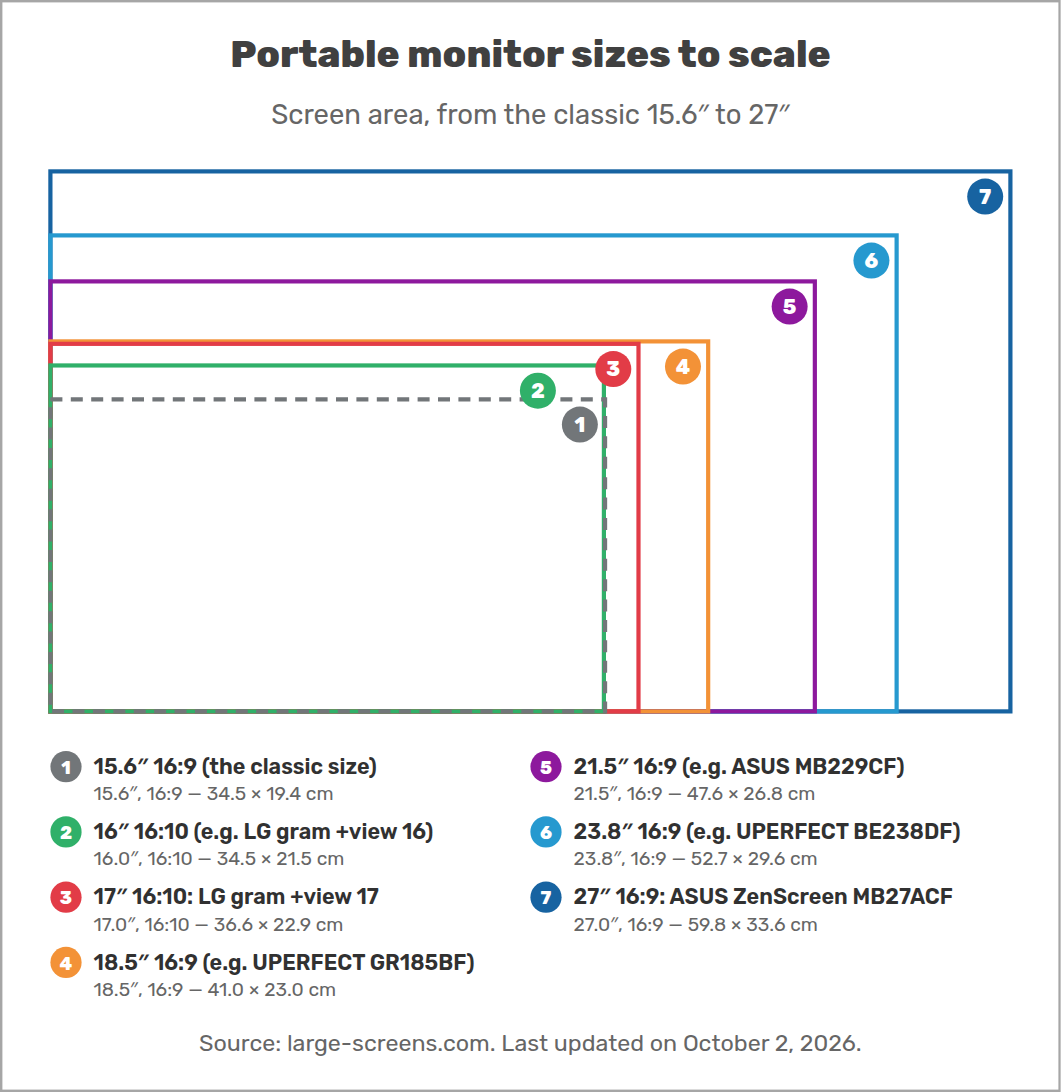
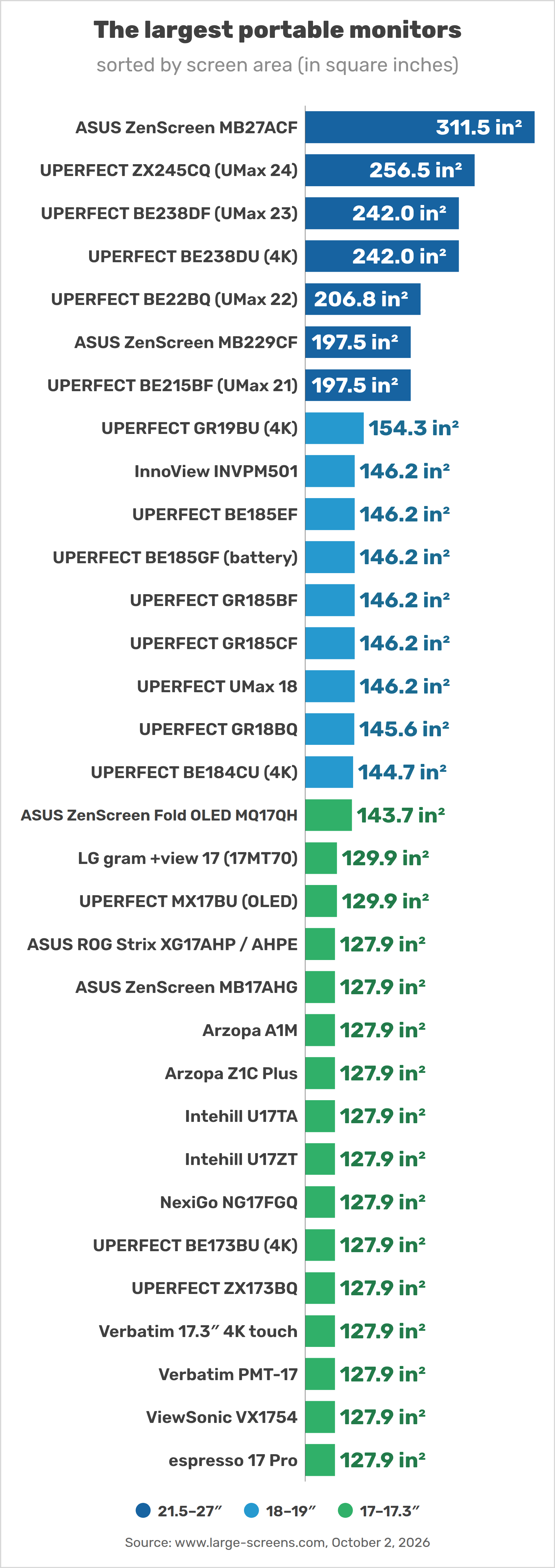
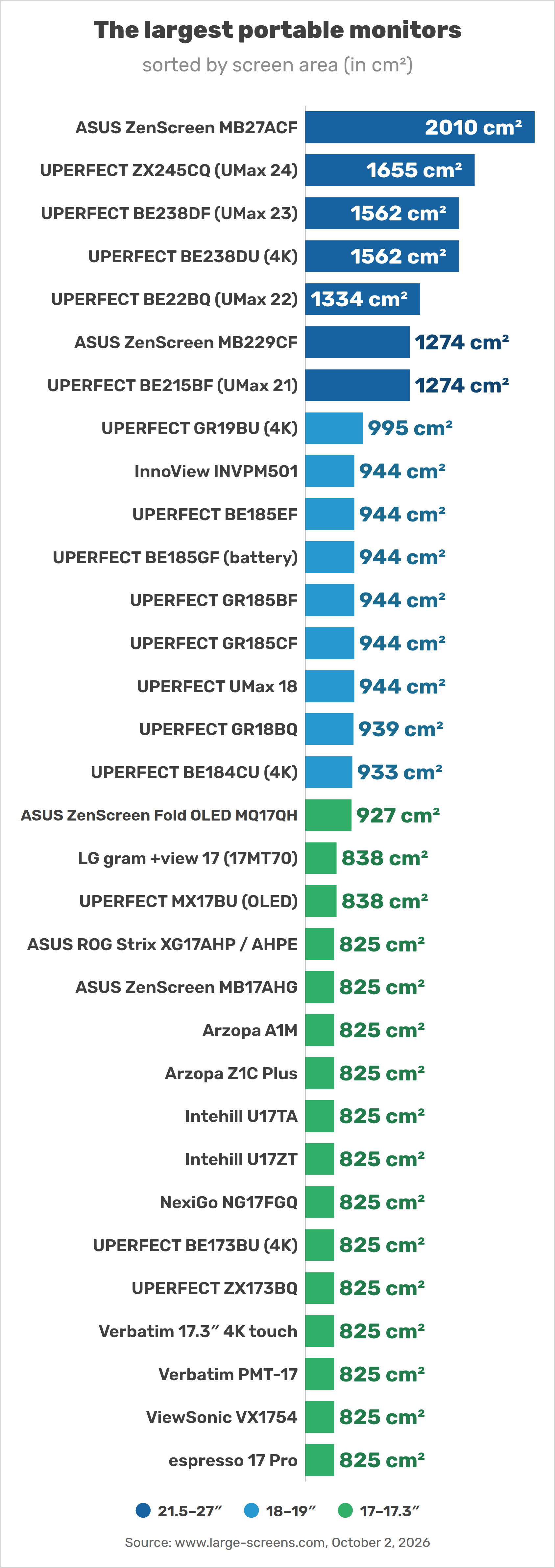
The diagonal alone can be misleading: a 17-inch 16:10 screen is slightly larger than a 17.3-inch 16:9 one (129.9 vs. 127.9 in²), because it is taller. That is why the following charts rank the monitors by screen area, as in our list of the largest tablets by area.
2. Table of the largest portable monitors
All portable monitors of 17 inches and more, sorted by screen size. “USB-C only”: the maker states that the monitor can run on a single USB-C cable, without a power adapter.
| # | Monitor | Size | Resolution | Screen area | Weight | Refresh rate | Extras | Price |
|---|---|---|---|---|---|---|---|---|
| 1. | ASUS ZenScreen MB27ACF | 27″ 16:9 | 2560 × 1440 109 ppi |
311.5 in² 2010 cm² |
2980 g | 100 Hz | USB-C only | — |
| 2. | UPERFECT ZX245CQ (UMax 24) | 24.5″ 16:9 | 2560 × 1440 120 ppi |
256.5 in² 1655 cm² |
2460 g | 165 Hz | touch | $490 |
| 3. | UPERFECT BE238DF (UMax 23) | 23.8″ 16:9 | 1920 × 1080 93 ppi |
242.0 in² 1562 cm² |
1920 g | 120 Hz | touch | $320 |
| 3. | UPERFECT BE238DU (4K) | 23.8″ 16:9 | 3840 × 2160 185 ppi |
242.0 in² 1562 cm² |
— | 60 Hz | touch | $550 |
| 5. | UPERFECT BE22BQ (UMax 22) | 22″ 16:9 | 2560 × 1440 134 ppi |
206.8 in² 1334 cm² |
1630 g | 60 Hz | touch | $390 |
| 6. | ASUS ZenScreen MB229CF | 21.5″ 16:9 | 1920 × 1080 102 ppi |
197.5 in² 1274 cm² |
2200 g | 100 Hz | USB-C only | $345 |
| 6. | UPERFECT BE215BF (UMax 21) | 21.5″ 16:9 | 1920 × 1080 102 ppi |
197.5 in² 1274 cm² |
2050 g | 120 Hz | touch | $350 |
| 8. | UPERFECT GR19BU (4K) | 19″ 16:9 | 3840 × 2160 232 ppi |
154.3 in² 995 cm² |
1390 g | 144 Hz | — | $480 |
| 9. | InnoView INVPM501 | 18.5″ 16:9 | 1920 × 1080 119 ppi |
146.2 in² 944 cm² |
— | 100 Hz | USB-C only | $130 |
| 9. | UPERFECT BE185EF | 18.5″ 16:9 | 1920 × 1080 119 ppi |
146.2 in² 944 cm² |
1090 g | 120 Hz | touch | $240 |
| 9. | UPERFECT BE185GF (battery) | 18.5″ 16:9 | 1920 × 1080 119 ppi |
146.2 in² 944 cm² |
— | 60 Hz | touch, battery | $300 |
| 9. | UPERFECT GR185BF | 18.5″ 16:9 | 1920 × 1080 119 ppi |
146.2 in² 944 cm² |
1120 g | 120 Hz | — | $220 |
| 9. | UPERFECT GR185CF | 18.5″ 16:9 | 1920 × 1080 119 ppi |
146.2 in² 944 cm² |
1120 g | 120 Hz | — | $210 |
| 9. | UPERFECT UMax 18 | 18.5″ 16:9 | 1920 × 1080 119 ppi |
146.2 in² 944 cm² |
1090 g | 60 Hz | — | $450 |
| 15. | UPERFECT BE184CU (4K) | 18.4″ 16:9 | 3840 × 2160 239 ppi |
144.7 in² 933 cm² |
1340 g | 60 Hz | — | $410 |
| 16. | UPERFECT GR18BQ | 18″ 16:10 | 2560 × 1600 168 ppi |
145.6 in² 939 cm² |
870 g | 144 Hz | — | $280 |
| 17. | ASUS ZenScreen Fold OLED MQ17QH | 17.3″ 4:3 | 2560 × 1920 185 ppi |
143.7 in² 927 cm² |
1170 g | 60 Hz | OLED | — |
| 17. | ASUS ROG Strix XG17AHP / AHPE | 17.3″ 16:9 | 1920 × 1080 127 ppi |
127.9 in² 825 cm² |
1060 g | 240 Hz | battery | €595 |
| 17. | ASUS ZenScreen MB17AHG | 17.3″ 16:9 | 1920 × 1080 127 ppi |
127.9 in² 825 cm² |
1290 g | 144 Hz | — | — |
| 17. | Arzopa A1M | 17.3″ 16:9 | 1920 × 1080 127 ppi |
127.9 in² 825 cm² |
— | — | — | $140 |
| 17. | Arzopa Z1C Plus | 17.3″ 16:9 | 1920 × 1080 127 ppi |
127.9 in² 825 cm² |
— | — | — | $140 |
| 17. | Intehill U17TA | 17.3″ 16:9 | 3840 × 2160 255 ppi |
127.9 in² 825 cm² |
1200 g | 60 Hz | touch | $619 |
| 17. | Intehill U17ZT | 17.3″ 16:9 | 3840 × 2160 255 ppi |
127.9 in² 825 cm² |
1400 g | 60 Hz | touch | $439 |
| 17. | NexiGo NG17FGQ | 17.3″ 16:9 | 1920 × 1080 127 ppi |
127.9 in² 825 cm² |
998 g | 300 Hz | — | $399 |
| 17. | UPERFECT BE173BU (4K) | 17.3″ 16:9 | 3840 × 2160 255 ppi |
127.9 in² 825 cm² |
1030 g | 60 Hz | — | $390 / €390 |
| 17. | UPERFECT ZX173BQ | 17.3″ 16:9 | 2560 × 1440 170 ppi |
127.9 in² 825 cm² |
890 g | 144 Hz | — | $260 / €260 |
| 17. | Verbatim 17.3″ 4K touch | 17.3″ 16:9 | 3840 × 2160 255 ppi |
127.9 in² 825 cm² |
1640 g | — | touch | €326 |
| 17. | Verbatim PMT-17 | 17.3″ 16:9 | 1920 × 1080 127 ppi |
127.9 in² 825 cm² |
1630 g | — | touch | €309 |
| 17. | ViewSonic VX1754 | 17.3″ 16:9 | 1920 × 1080 127 ppi |
127.9 in² 825 cm² |
900 g | 144 Hz | — | — |
| 17. | espresso 17 Pro | 17.3″ 16:9 | 3840 × 2160 255 ppi |
127.9 in² 825 cm² |
1100 g | 60 Hz | touch | €899 |
| 31. | LG gram +view 17 (17MT70) | 17″ 16:10 | 2560 × 1600 178 ppi |
129.9 in² 838 cm² |
780 g | 60 Hz | — | $500 |
| 31. | UPERFECT MX17BU (OLED) | 17″ 16:10 | 2880 × 1800 200 ppi |
129.9 in² 838 cm² |
— | — | touch, OLED | $440 |
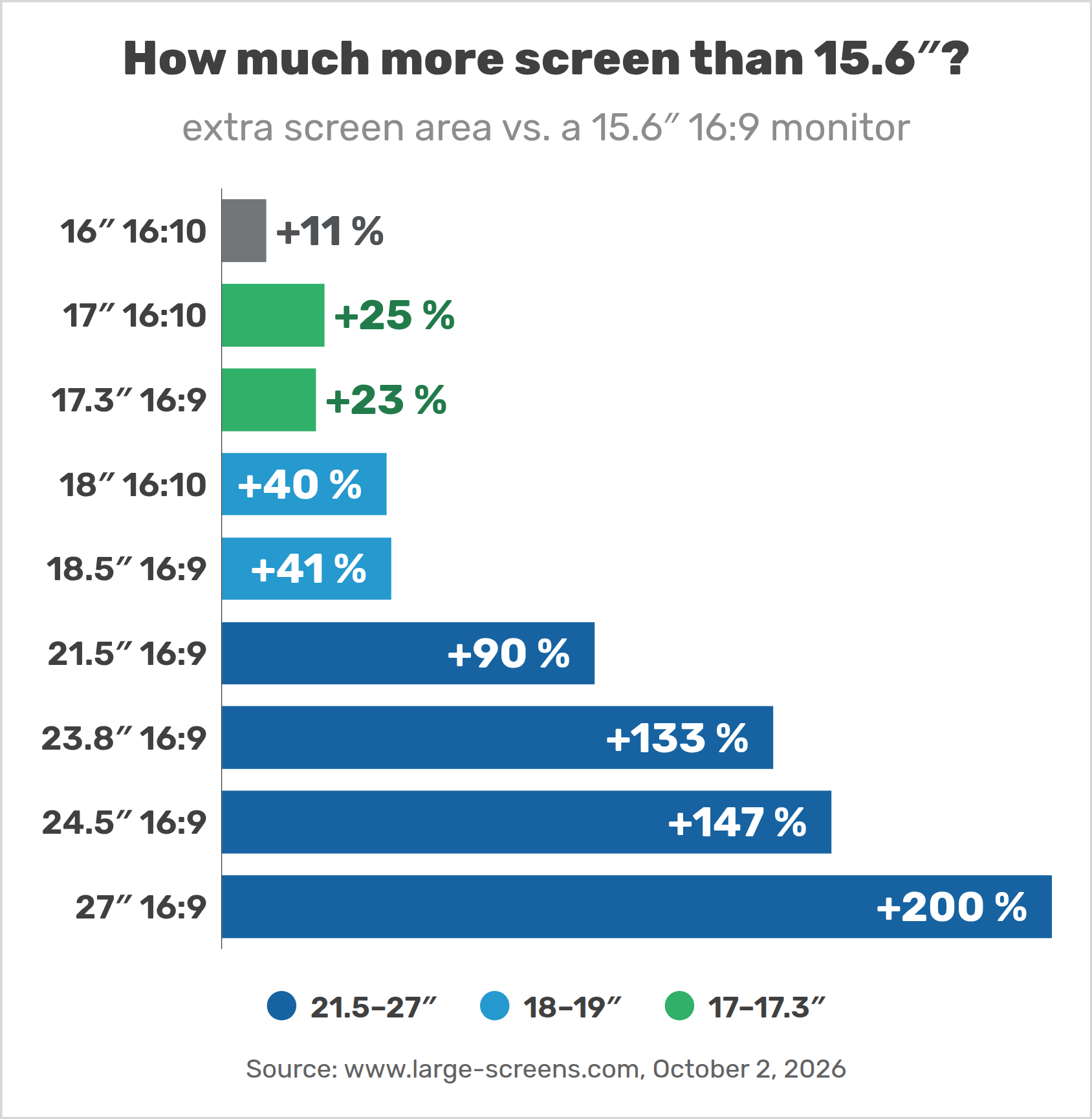
3. How much bigger is 17, 18.5, 24 or 27 inches?
How much more screen do you get compared with the classic 15.6-inch 16:9 monitor? A 16-inch 16:10 model already has 11 % more area, a 17-inch 16:10 25 %, an 18.5-inch 41 %, a 24-inch more than twice as much.
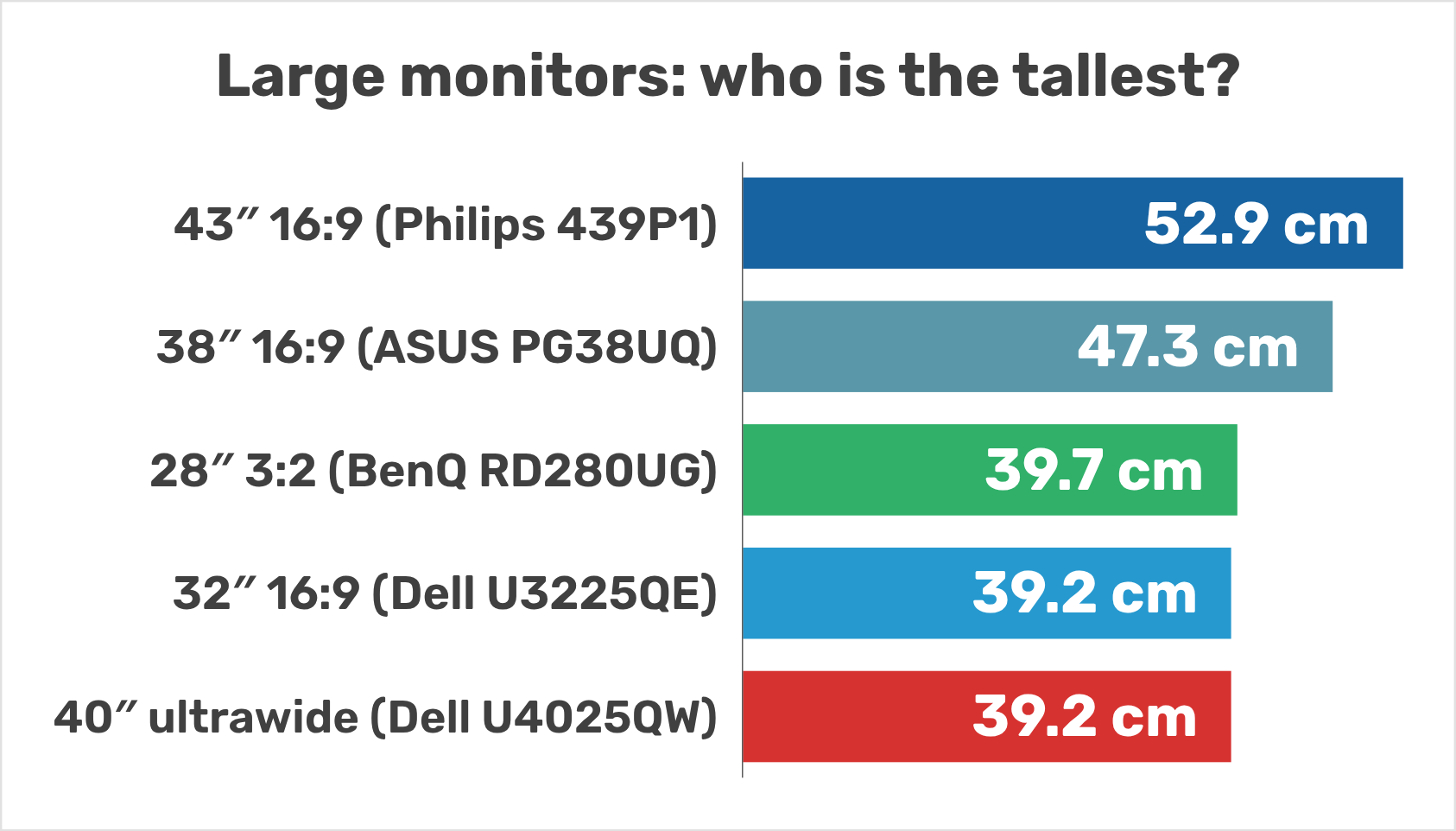
Will it fit in your bag? The screen alone of a 17.3-inch monitor is 38.3 cm wide, 41.0 cm for 18.5 inches and 47.6 cm for 21.5 inches — plus the frame. According to espresso, its 17-inch monitor fits in most backpacks made for a 16-inch laptop; 21.5 inches and more need a dedicated bag.
4. 21.5 to 27 inches: the largest “portable” monitors
Above 21 inches, “portable” rather means movable: these monitors weigh 1.6 to 3 kg and most of them need a power adapter. They are ideal for a second workplace, a holiday home or a trade fair, less for daily commuting.
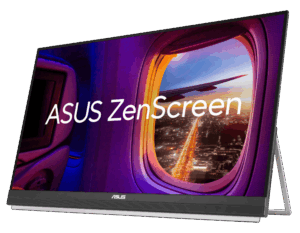
- ASUS ZenScreen MB27ACF (27″, 2560 × 1440, 100 Hz, 2.98 kg): the largest one, with a carrying handle that doubles as a stand. ASUS states that it can run on a single USB-C cable, with brightness limited to 85 nits; with its 70 W adapter, it reaches 300 nits (ASUS).
- ASUS ZenScreen MB229CF (21.5″, 1080p, 100 Hz, 2.2 kg): its smaller sibling, also able to run on USB-C power alone (with reduced brightness). CNET chose it as the best portable office monitor.
- UPERFECT ZX245CQ (24.5″, 2560 × 1440, 165 Hz, touch, 2.46 kg, $489.99) — the largest touchscreen.
- UPERFECT BE238DU (23.8″, 4K, touch, $549.99 early-bird) and BE238DF (23.8″ 1080p touch, 1.92 kg, $319.99).
- UPERFECT BE22BQ (22″, 2560 × 1440, touch, 1.63 kg): the lightest model above 21 inches, $389.99.
- UPERFECT BE215BF (21.5″, 1080p, 120 Hz, touch, 2.05 kg, $349.99).
Two models are not in our list: the LG StanbyME Go (27 inches, with a battery) is a smart TV in a briefcase, not a USB-C monitor, and ASUS no longer lists the 23.8-inch ZenScreen MB249C.
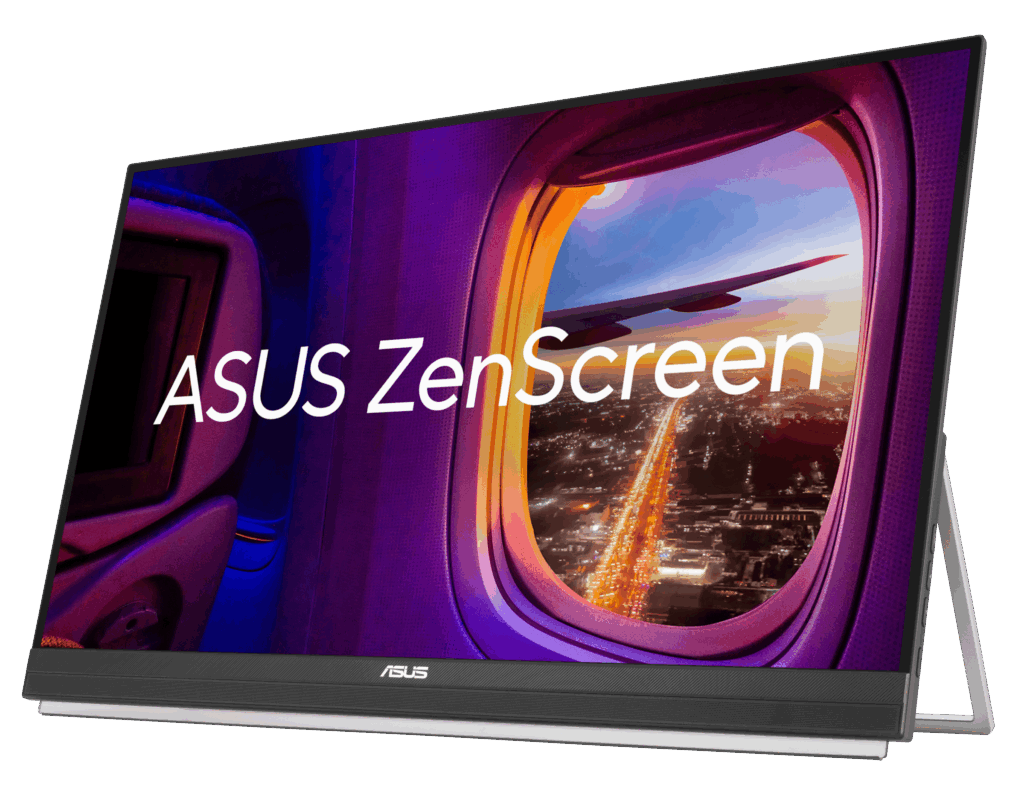
ASUS ZenScreen MB27ACF Image: ASUS
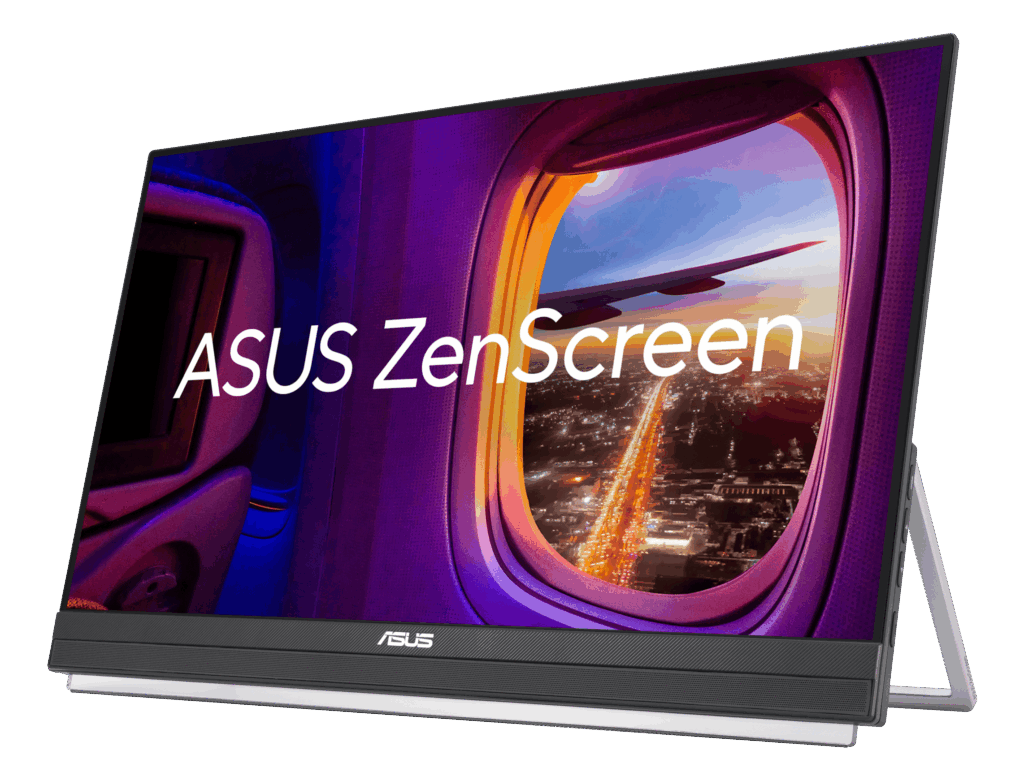
ASUS ZenScreen MB229CF Image: ASUS
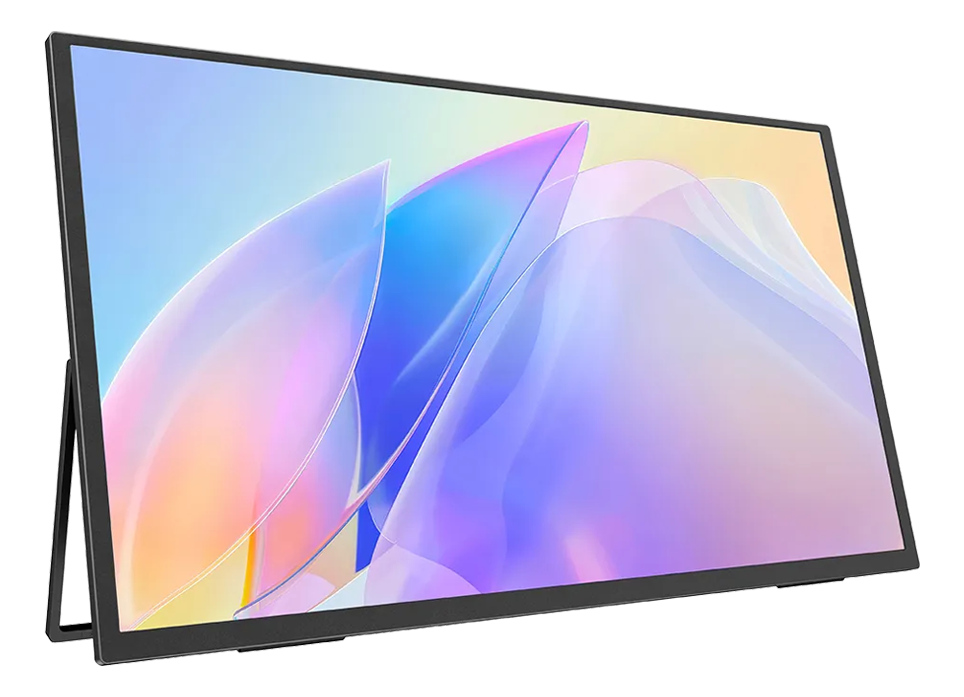
UPERFECT ZX245CQ Image: UPERFECT
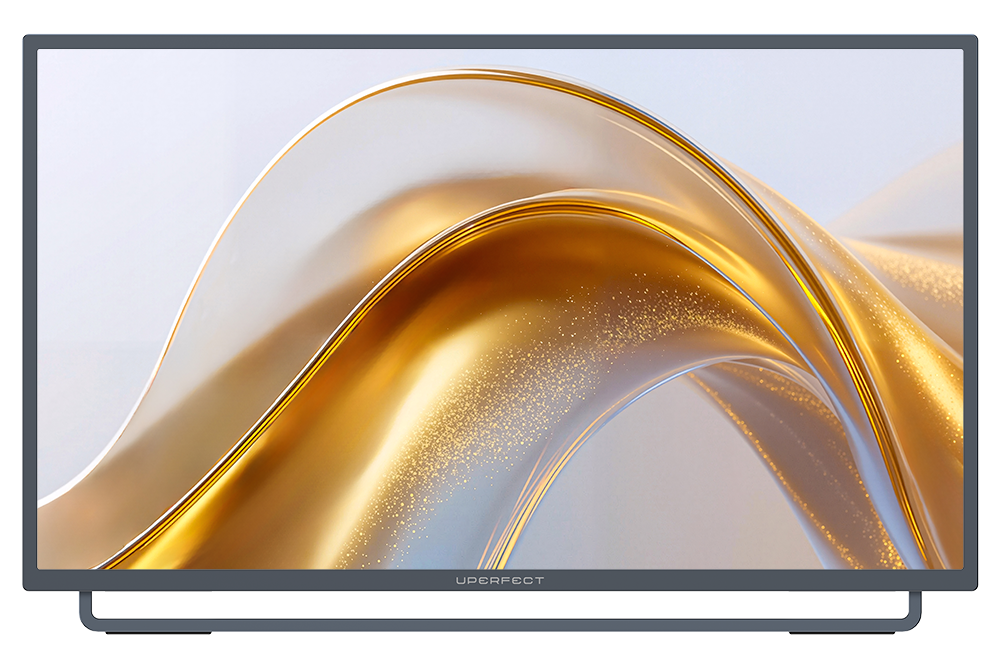
UPERFECT BE238DU Image: UPERFECT
5. 18 to 19-inch portable monitors
18 to 19 inches is the sweet spot for travelling with a large screen: 40 % more area than a 15.6-inch monitor, and still only 0.9 to 1.4 kg. Above 18 inches, almost all models come from UPERFECT; Arzopa, KYY and INNOCN sell nothing larger than 17.3 inches.
- UPERFECT GR18BQ (18″, 2560 × 1600, 144 Hz, 870 g, $279.99): the lightest of its class, with a sharp 16:10 screen (UPERFECT).
- UPERFECT GR19BU (19″, 4K, 144 Hz, 1.39 kg, $479.99) and BE184CU (18.4″ 4K, 1.34 kg, $409.99) for sharp text.
- UPERFECT GR185BF, GR185CF and BE185EF (18.5″, 1080p, 120 Hz, about 1.1 kg, $210 to $240); the BE185EF has a touchscreen.
- UPERFECT BE185GF (18.5″, touch, built-in 8000 mAh battery and wireless casting, $299.99): on pre-order.
- InnoView INVPM501 (18.5″, about $130): CNET’s “best large portable monitor”. It runs on one USB-C cable if the computer supplies about 20 W, but CNET found its brightness disappointing.
Note that 1080p at 18.5 inches gives only 119 pixels per inch: text is less sharp than on a laptop.
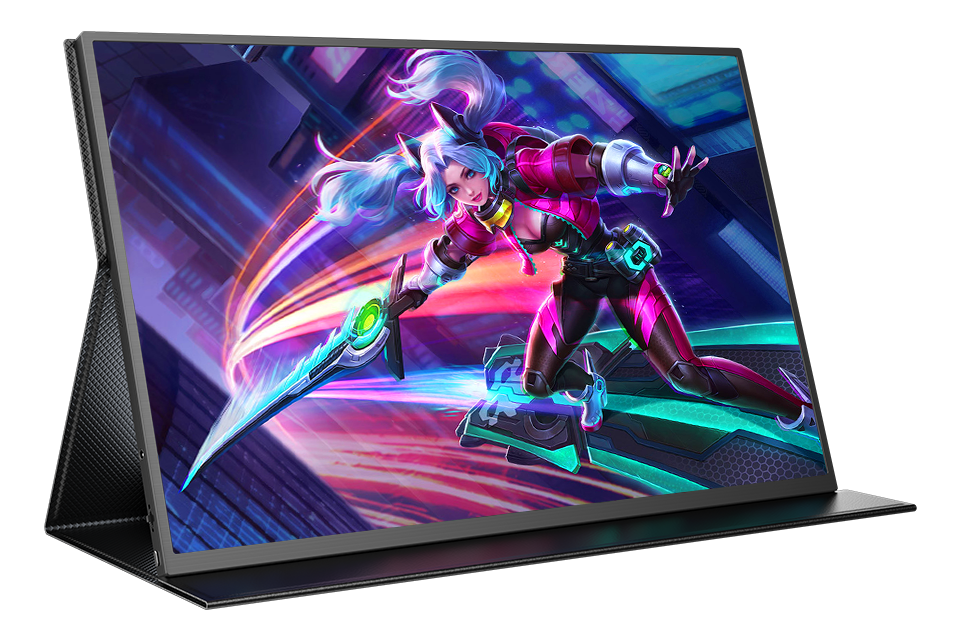
UPERFECT GR18BQ Image: UPERFECT
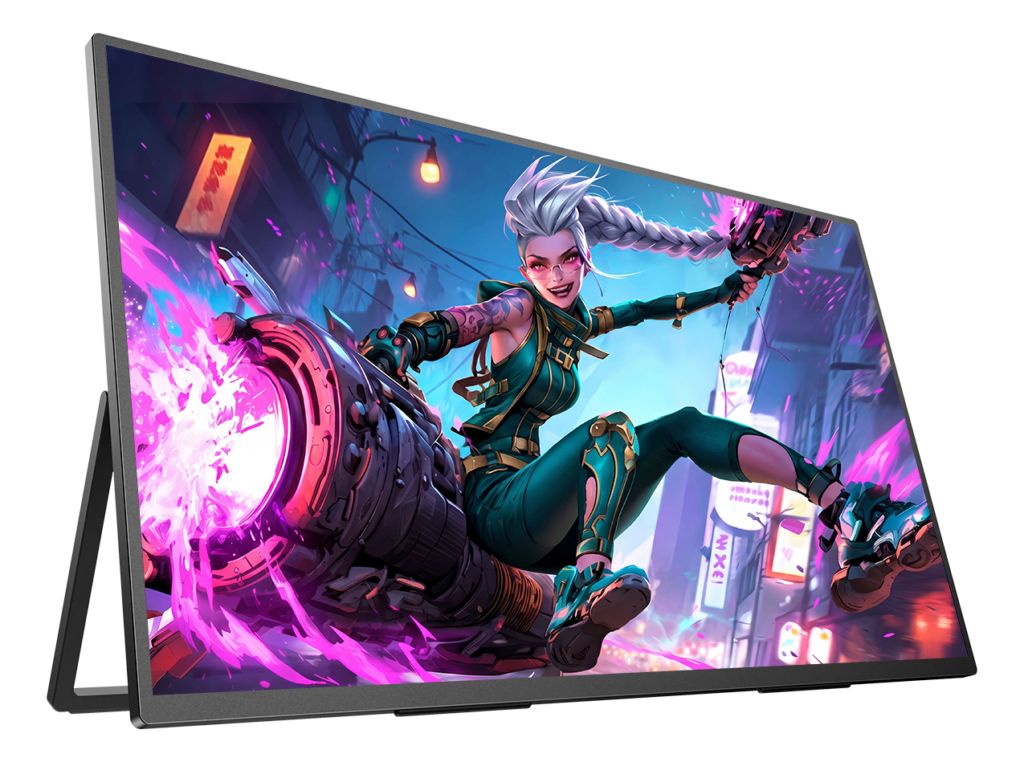
UPERFECT GR19BU Image: UPERFECT
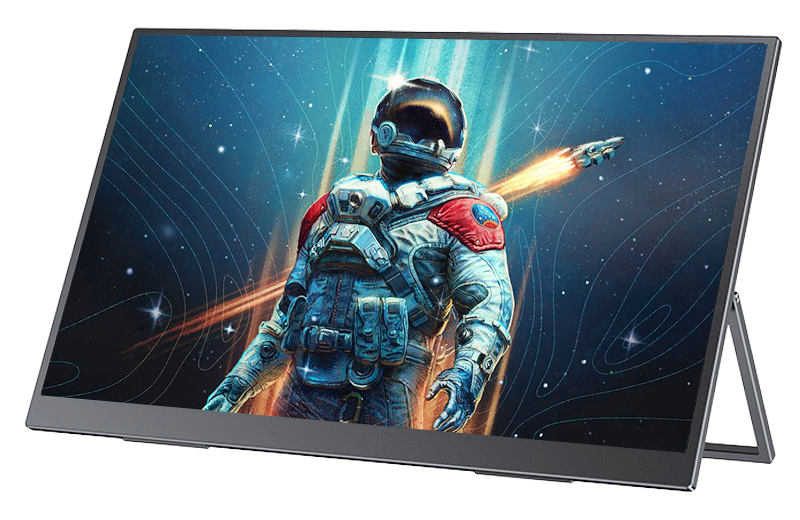
UPERFECT BE184CU Image: UPERFECT
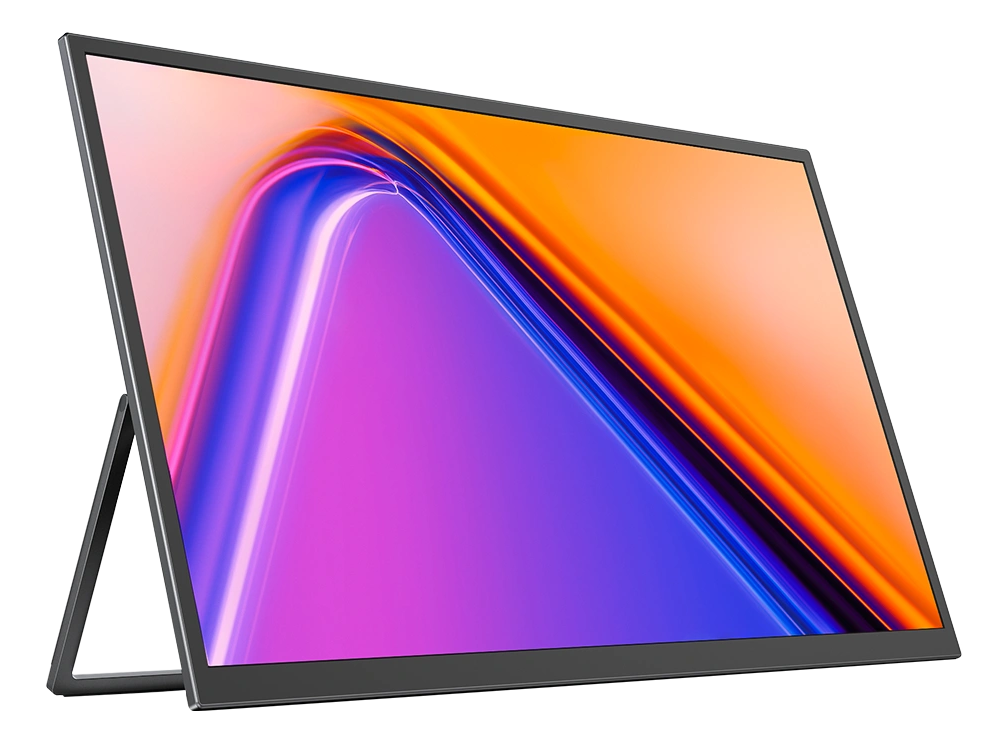
UPERFECT GR185BF Image: UPERFECT
6. 17 and 17.3-inch portable monitors
17 and 17.3 inches is the largest class with many brands, prices from $140 and plenty of special features:
- LG gram +view 17 (17MT70): 17″ 16:10, 2560 × 1600, 350 nits, matte, 780 g, two USB-C ports with 45 W pass-through charging, mini-HDMI and a kickstand that switches to portrait mode, $499.99. The lightest 17-inch monitor for its size (LG). The author of this site uses one.
- ASUS ZenScreen Fold OLED MQ17QH: a foldable 17.3-inch 4:3 OLED (2560 × 1920), almost as large in area as an 18.5-inch monitor. UPERFECT MX17BU: a 17-inch 3K OLED touchscreen, shipping from the end of November 2026.
- 4K at 17.3 inches (255 ppi): espresso 17 Pro (touch, 450 nits, 1.1 kg), Intehill U17ZT and U17TA, UPERFECT BE173BU, Verbatim 17.3″ 4K touch.
- Gaming: NexiGo NG17FGQ (300 Hz), ASUS ROG Strix XG17AHP / AHPE (240 Hz, built-in 7800 mAh battery), ASUS ZenScreen MB17AHG (144 Hz), UPERFECT ZX173BQ (1440p, 144 Hz, 890 g, $259.99), ViewSonic VX1754.
- Budget: Arzopa A1M and Z1C Plus (1080p, $139.99).
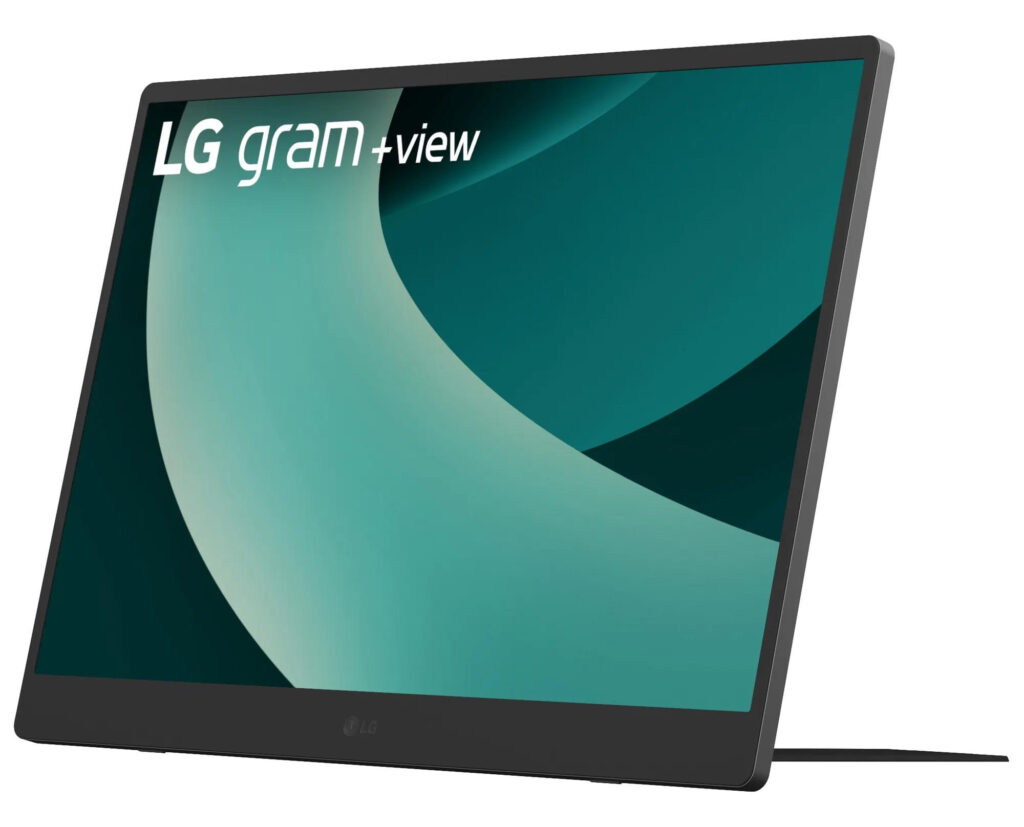
LG gram +view 17 (17MT70) Image: LG

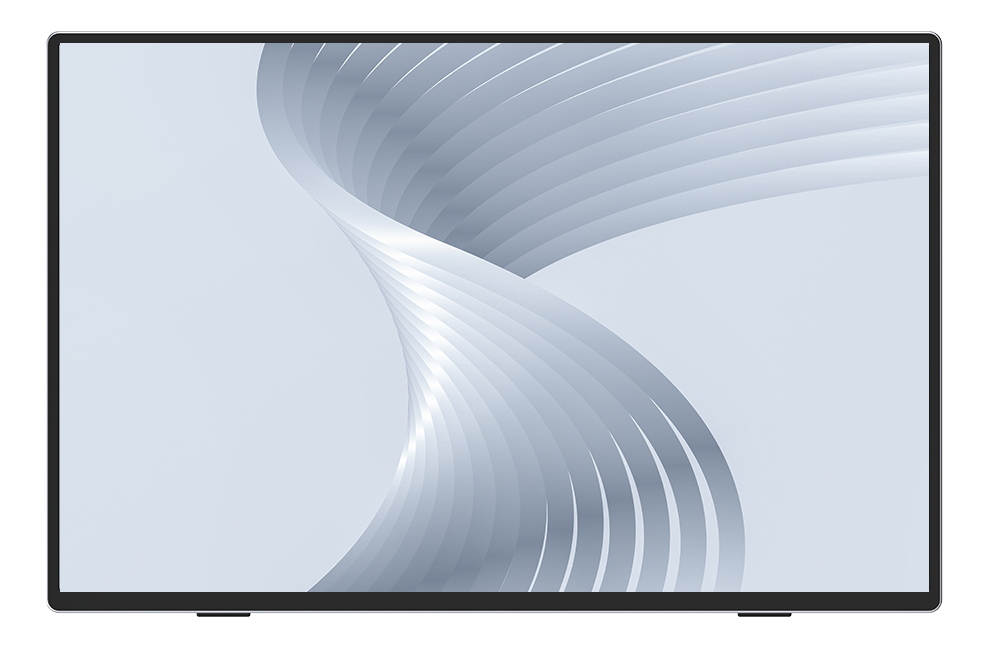
ASUS ZenScreen Fold OLED MQ17QH Image: ASUS
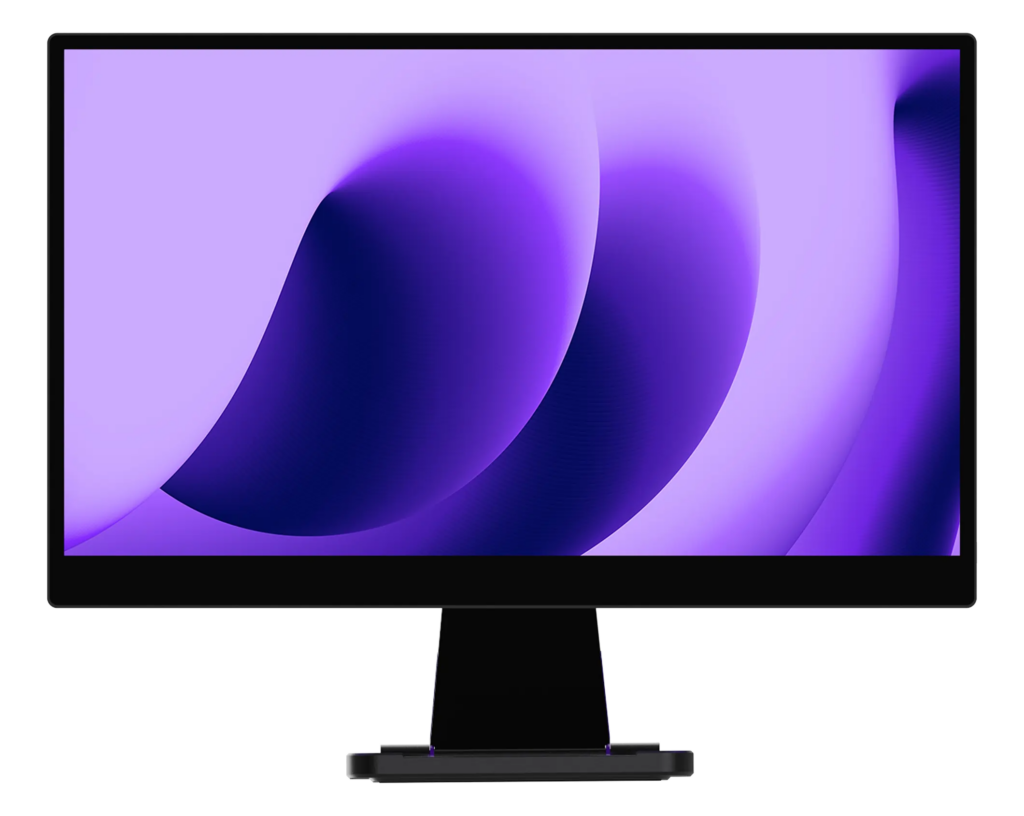
UPERFECT MX17BU Image: UPERFECT
espresso 17 Pro Image: espresso Displays
7. 16 inches: the new standard size
16-inch 16:10 monitors have replaced the 15.6-inch 16:9 ones as the standard size: 11 % more area, and often 2560 × 1600 pixels. Examples: ASUS ZenScreen MB16QHG (120 Hz, 500 nits), LG gram +view 16 (670 g), ViewSonic TD1656-2K (touch), UPERFECT GR16CQ (240 Hz), ASUS ZenScreen OLED MQ16FC (680 g). They are lighter and cheaper than the larger models, and well covered by general reviews such as rtings.com.
8. Dual and stacked portable monitors
If one screen is not enough, stacked and folding dual monitors offer the largest total area:
- UPERFECT Delta Max (BE185CF): two 18.5-inch touchscreens stacked on one stand, 2.36 kg, $599.99.
- UPERFECT Delta Mega (BE238CF): two 23.8-inch screens, but 5.1 kg: movable rather than portable.
- UPERFECT SC16BQ (2 × 16″ 2560 × 1600 with pen) and ASUS ZenScreen Duo OLED MQ149CD (2 × 14″ OLED).
- Screens that attach to the laptop itself (Mobile Pixels TRIO, Duex, FOPO, KYY): one or two extra 14 to 16-inch screens beside the laptop screen.
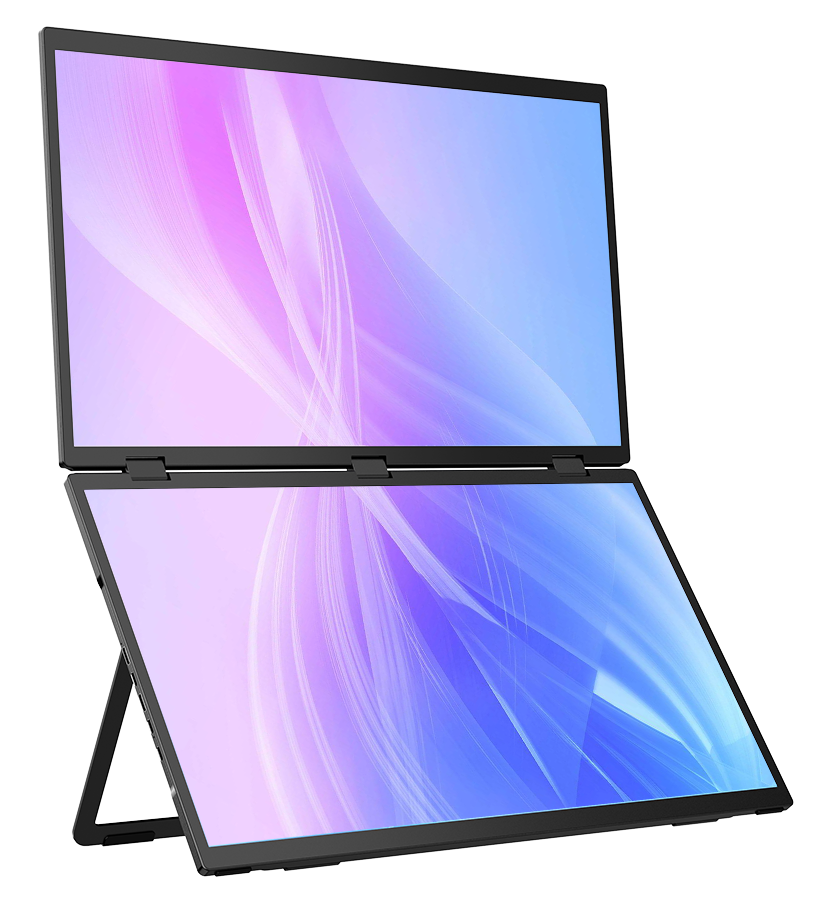
UPERFECT Delta Max (BE185CF) Image: UPERFECT
9. Buyer’s guide for large portable monitors
9.1 Which port and which cable?
- Not every USB-C port outputs video. The port must support DisplayPort Alt Mode, Thunderbolt or USB4; look for the DisplayPort or Thunderbolt logo next to it, or check the specifications. Example: the 2026 MacBook Neo has two USB-C ports, but only one drives a display (Apple).
- Use the right cable. Charging cables (including those that come with phones and Apple chargers) are often USB 2.0 and carry no video. Use the cable supplied with the monitor, or a “full-featured” USB-C or Thunderbolt cable.
- HDMI works with any computer, but cannot power the monitor: you then need its power adapter.
- DisplayLink monitors and docks work over any USB port, even on Macs limited to one display, but they use the processor and block protected video (Netflix etc.) on macOS.
9.2 Power: why large screens need a charger
Large portable monitors draw about 5 to 19 W. A USB-C port without a power contract supplies only 7.5 or 15 W, an iPhone 4.5 W. On laptop power alone, many monitors limit their brightness (ASUS and espresso say so explicitly) — the MB27ACF drops to 85 nits. For full brightness, plug a charger into the monitor’s second USB-C port: most models pass the power through to the laptop (ASUS).
9.3 MacBook: how many external displays?
| Mac | External displays |
|---|---|
| MacBook Air M1, M2; MacBook Pro 13″ M1, M2; MacBook Neo | 1 |
| MacBook Air M3, MacBook Pro 14″ M3 | 1 (2 with the lid closed) |
| MacBook Air M4, M5; MacBook Pro M4, M5 | 2, plus the built-in screen |
| M1 Pro, M2 Pro, M3 Pro, M4 Pro | 2 |
| M5 Pro | 3 |
| Max chips (M1 Max to M5 Max) | up to 4 |
Source: Apple. Hubs and daisy-chaining do not raise these limits; DisplayLink does.
9.4 iPad, iPhone, Android and game consoles
- iPad: M1 and later iPads (iPad Pro, iPad Air) use a portable monitor as an extended desktop; other iPads only mirror their screen.
- iPhone 15 and later: mirroring only (up to 4K60), with a USB 3.1 cable — the cable in the box is USB 2.
- Android: Samsung DeX turns Galaxy phones (S8 and later) and tablets into a desktop on a USB-C monitor; Google is adding a similar desktop mode to Pixel phones with Android 16 (at our last check, still behind a developer option).
- Game consoles: the Steam Deck and ROG Ally output video over USB-C; the Nintendo Switch officially only via its dock.
9.5 Weight
9.6 Brightness, matte screens, sharpness and touch
- Brightness: most portable monitors offer 250 to 450 nits, less than current laptops (MacBook Air: 500 nits), and even less on laptop power.
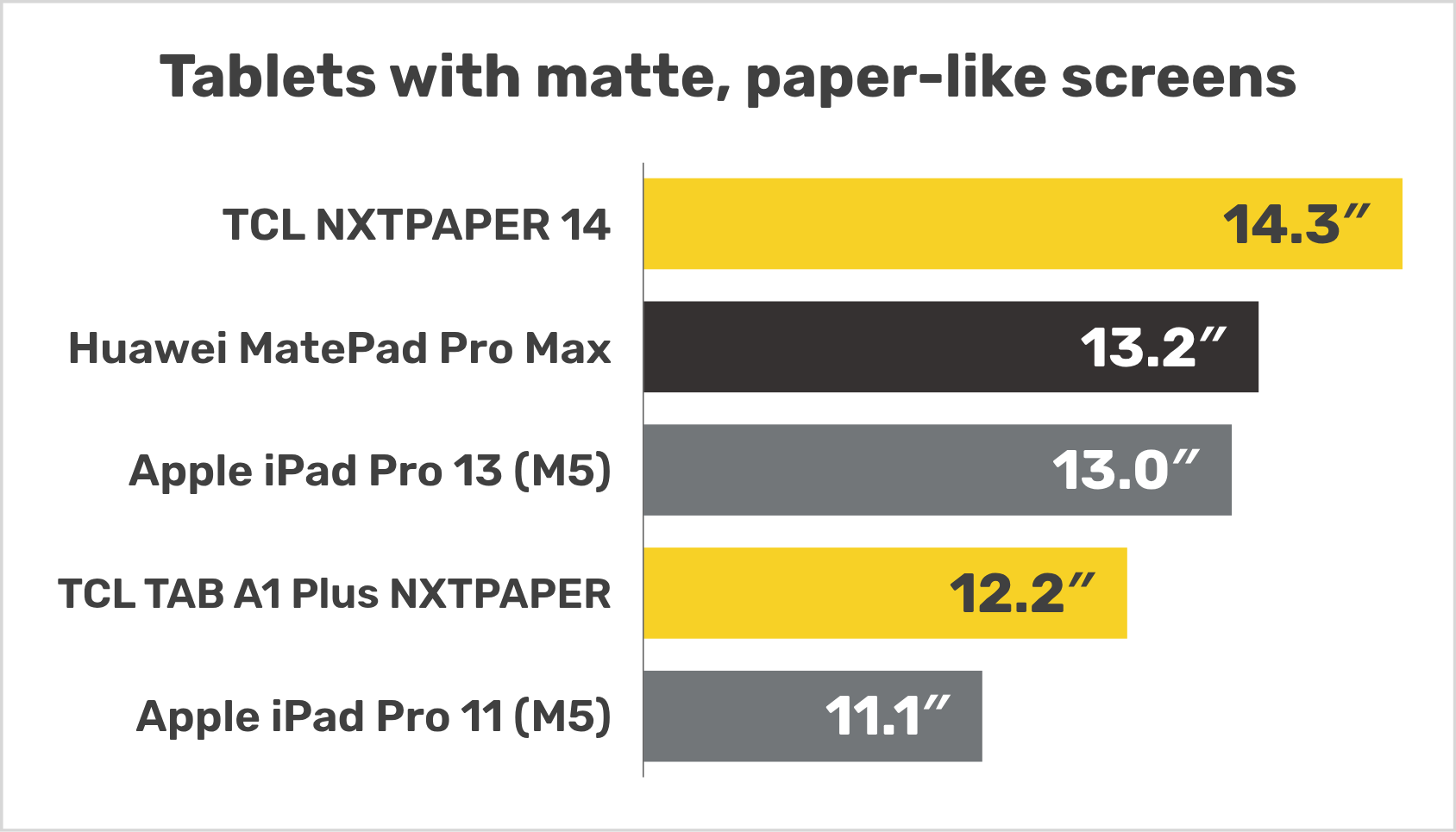
- Matte or glossy: matte screens handle reflections much better on the go; see our article on matte, paper-like screens.
- Sharpness: 1080p is fine up to 16 inches (141 ppi), but looks coarse at 18.5 inches (119 ppi). For text work, choose 2560 × 1600 or 4K above 17 inches.
- OLED gives deep blacks, but static elements can burn in over time.
- Touch works with Windows, ChromeOS and Linux; on macOS, it is limited to single touch or needs the maker’s software.
10. FAQ: the largest portable monitors
The 27-inch ASUS ZenScreen MB27ACF (2560 × 1440, 2.98 kg). The largest touchscreen is the 24.5-inch UPERFECT ZX245CQ.
Also the ASUS ZenScreen MB27ACF: ASUS states that it runs on a single USB-C cable without an adapter, but with brightness limited to 85 nits. Its 21.5-inch sibling, the MB229CF, can do the same.
Yes: UPERFECT sells 23.8 and 24.5-inch models (the BE238DU even in 4K), and ASUS the 27-inch MB27ACF. At 2 to 3 kg, they are portable rather for occasional trips.
17 to 18.5 inches: the screen is much larger than a laptop’s, but the monitor still weighs less than 1.2 kg and fits in many backpacks. The 18-inch UPERFECT GR18BQ (870 g) and the 17-inch LG gram +view 17 (780 g) are the lightest for their size.
The LG gram +view 17 (17MT70), at 780 g according to LG.
23 % (127.9 vs. 104 in²). A 17-inch 16:10 monitor is 25 % bigger, an 18.5-inch one 41 %.
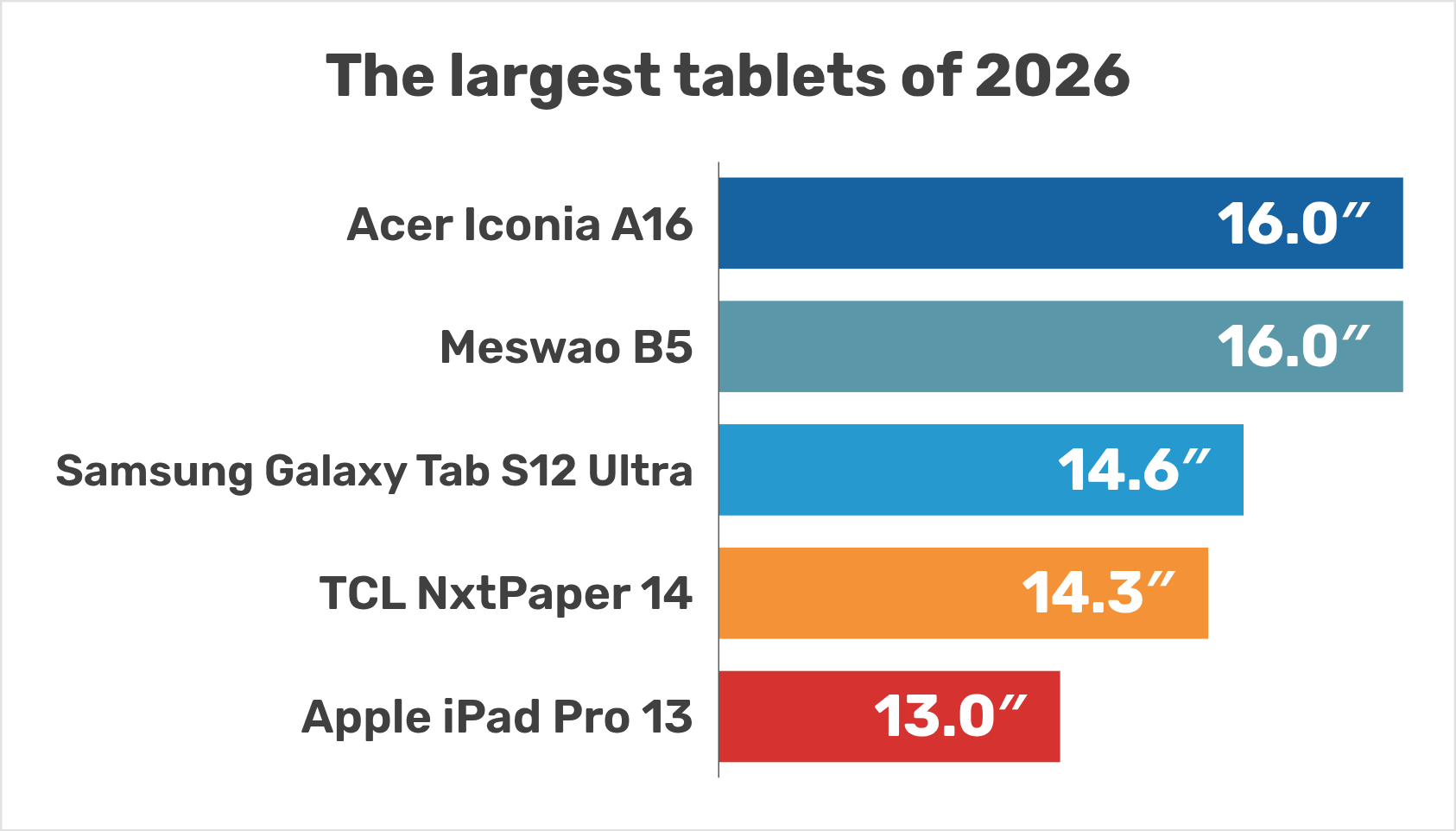
A tablet works on its own, but even the largest ones stop at 16 inches (see our list of the largest tablets). A portable monitor is lighter for its size and can be used as a second screen for a laptop or a tablet.
11. Wrap-up: the best large portable monitor in each category
- Largest overall and largest USB-C powered: ASUS ZenScreen MB27ACF (27″).
- Largest touchscreen: UPERFECT ZX245CQ (24.5″).
- Largest 4K: UPERFECT BE238DU (23.8″).
- Largest with a battery: UPERFECT BE185GF (18.5″, pre-order) and ASUS ROG Strix XG17AHP / AHPE (17.3″).
- Largest OLED: ASUS ZenScreen Fold OLED MQ17QH (17.3″ 4:3).
- Lightest 17-inch: LG gram +view 17 (780 g). Lightest 18-inch: UPERFECT GR18BQ (870 g).
- Fastest: NexiGo NG17FGQ (300 Hz).
- Largest stacked dual: UPERFECT Delta Max (2 × 18.5″).