


The biggest non-ultrawide monitors for work (2026): 16:9, 16:10, 3:2 and square, drawn to scale
Last updated on October 2, 2026.
Most large monitors sold today are ultrawides: they are wider, but not taller. For work — documents, code, spreadsheets, sheet music — height matters as much as width. This guide lists the large monitors that are not ultrawides: 38 to 48-inch 16:9 monitors and tall formats (3:2, 16:10, 16:18 and square). They are compared by image height, pixel density and price per area, and drawn to scale.
All sizes in this article are those of the image (active area), computed from the diagonal and the resolution. Prices are those of October 2, 2026.
I am registered with the Amazon Associates Program. This website contains Amazon affiliate links (marked with a star). If you click on one of these links and make a purchase, I may receive a commission from Amazon.
Clicking on an affiliate link does not change the price you pay. As an Amazon Associate I earn from qualifying purchases.
 I am a classical musician (violist) with 20 years of professional experience in orchestra and chamber music. For many years, I have been advising colleagues, students, and fellow musicians in the choice of their tablet.
Along with the many positives of using tablets, I’ve also seen the negatives: tablets crashing just before going on stage, batteries that don’t hold up during long rehearsal days, and missing page turner pedals in concert.
Key takeaways
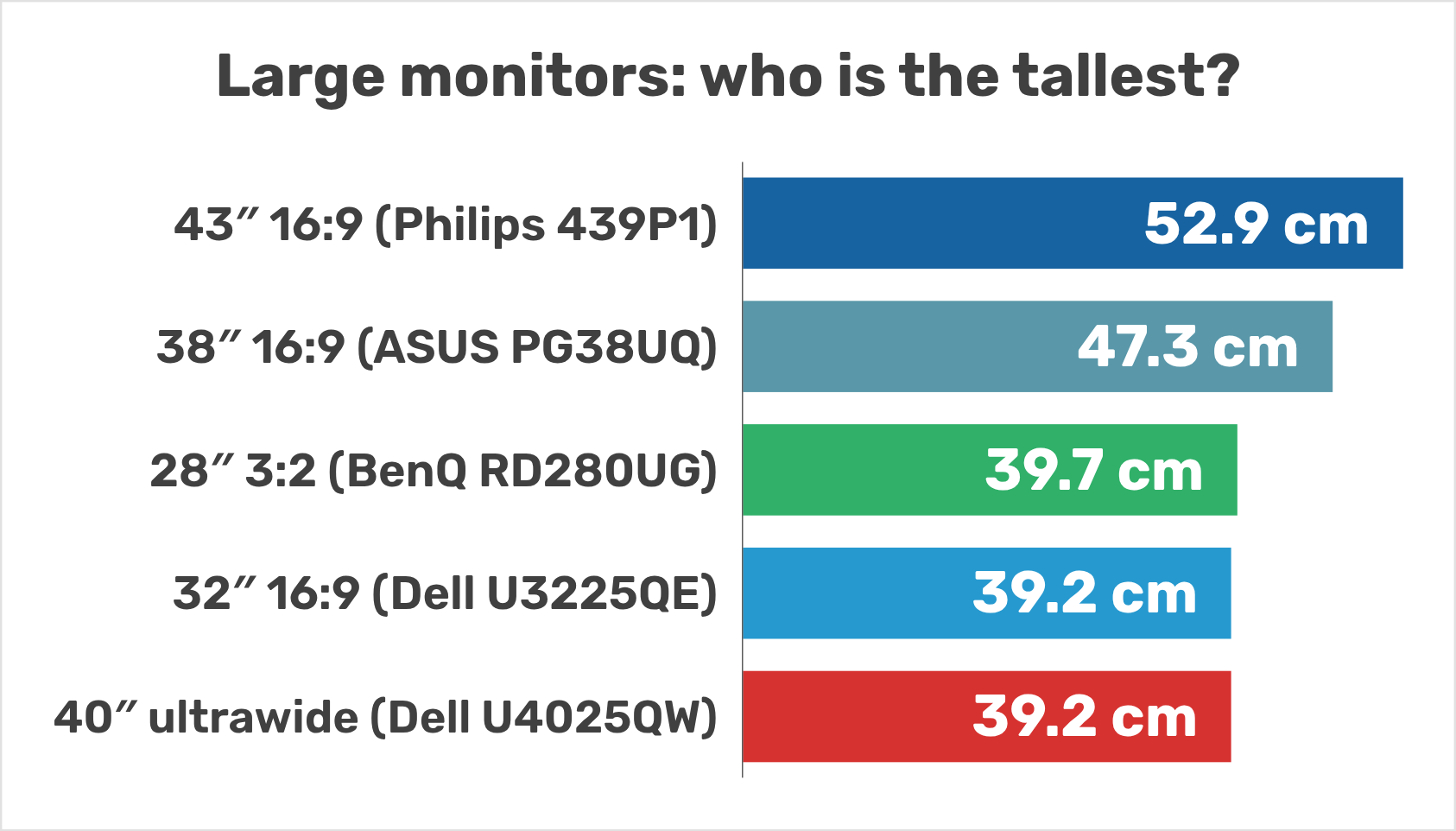
- Ultrawides add width, not height: a 40-inch 5K2K ultrawide is exactly as tall as a 32-inch 16:9 monitor (39.2 cm of image).
- The tallest practical choice is a 43-inch 16:9 4K monitor: 52.9 cm of image height, at 100 % scaling.
- 38 inches: the ASUS ROG Swift PG38UQ is the only flat 38-inch 16:9 monitor. It is a gaming monitor, but its 116 ppi suit office work at 100 % scaling.
- Tall formats: a 28-inch 3:2 monitor such as the BenQ RD280UG is as wide as a 27-inch 16:9 and as tall as a 32-inch one.
- Best value per area: the PG38UQ ($21 per dm² of image) in the US, the Philips 439P1 (€13 per dm²) in Europe.
Table of contents
- 1. Why bigger usually means wider
- 2. Vertical space: the tallest monitors
- 3. 38 to 48-inch 16:9 monitors
- 4. Tall formats: 3:2, 16:18, square and 16:10
- 5. Pixel density and viewing distance
- 6. Desk, distance and ergonomics
- 7. Price per area: which monitor gives you the most screen?
- 8. Which monitor for which job?
- 9. FAQ: large monitors for work
1. Why bigger usually means wider
When monitors grow beyond 32 inches, they usually become ultrawides (21:9 or 32:9). The diagonal grows, the width grows, but the height barely changes:
- a 40-inch 5K2K ultrawide (Dell U4025QW, LG 40WP95C) is 39.2 cm tall, exactly like a 32-inch 16:9 monitor;
- the “38-inch” Dell U3824DW ultrawide is 36.6 cm tall, against 47.3 cm for the 38-inch 16:9 ASUS PG38UQ;
- a 49-inch 32:9 monitor (33.7 cm) is no taller than a 27-inch 16:9 (33.6 cm): it is two 27-inch screens side by side;
- only the giant 52-inch Dell U5226KW (50.3 cm tall) almost reaches the height of a 43-inch 16:9 monitor (52.9 cm), and it is 120.7 cm wide.
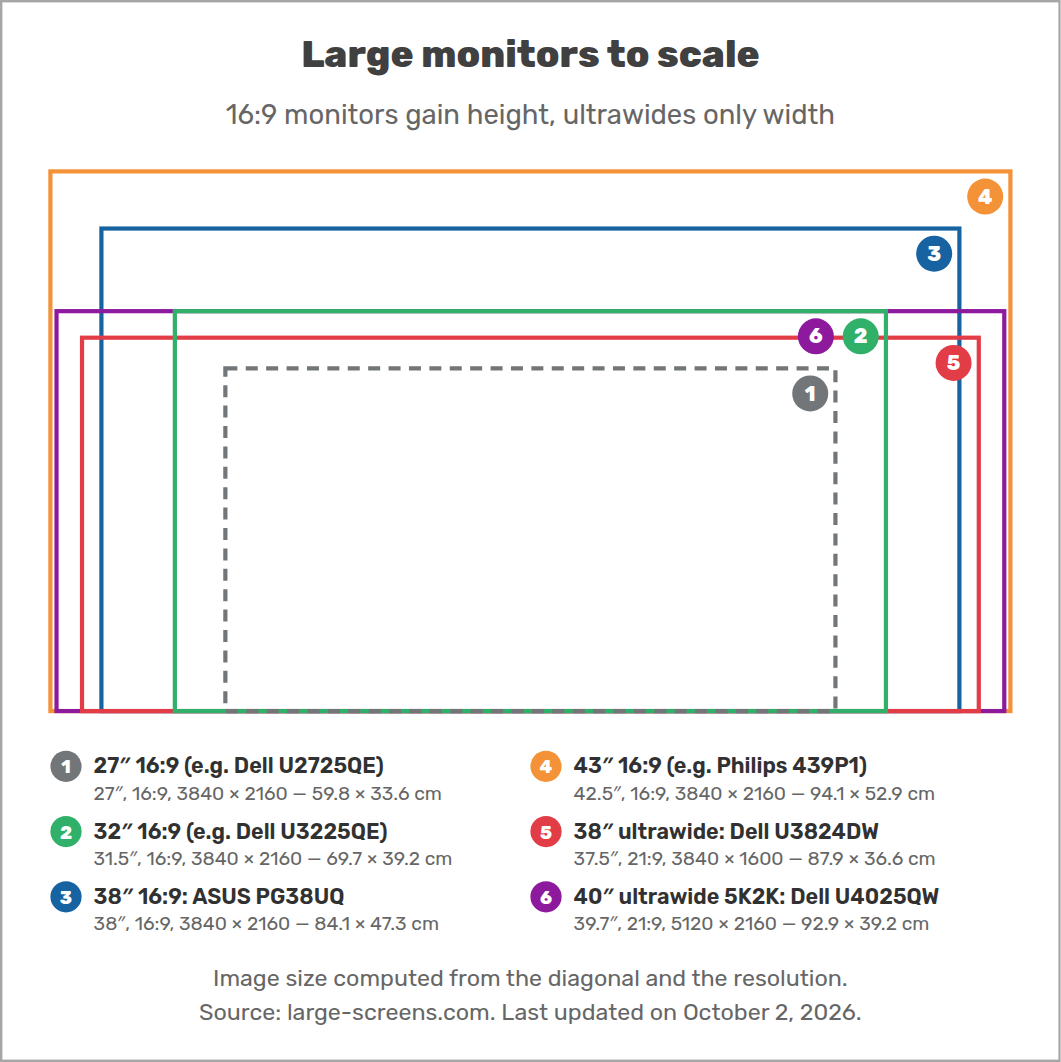
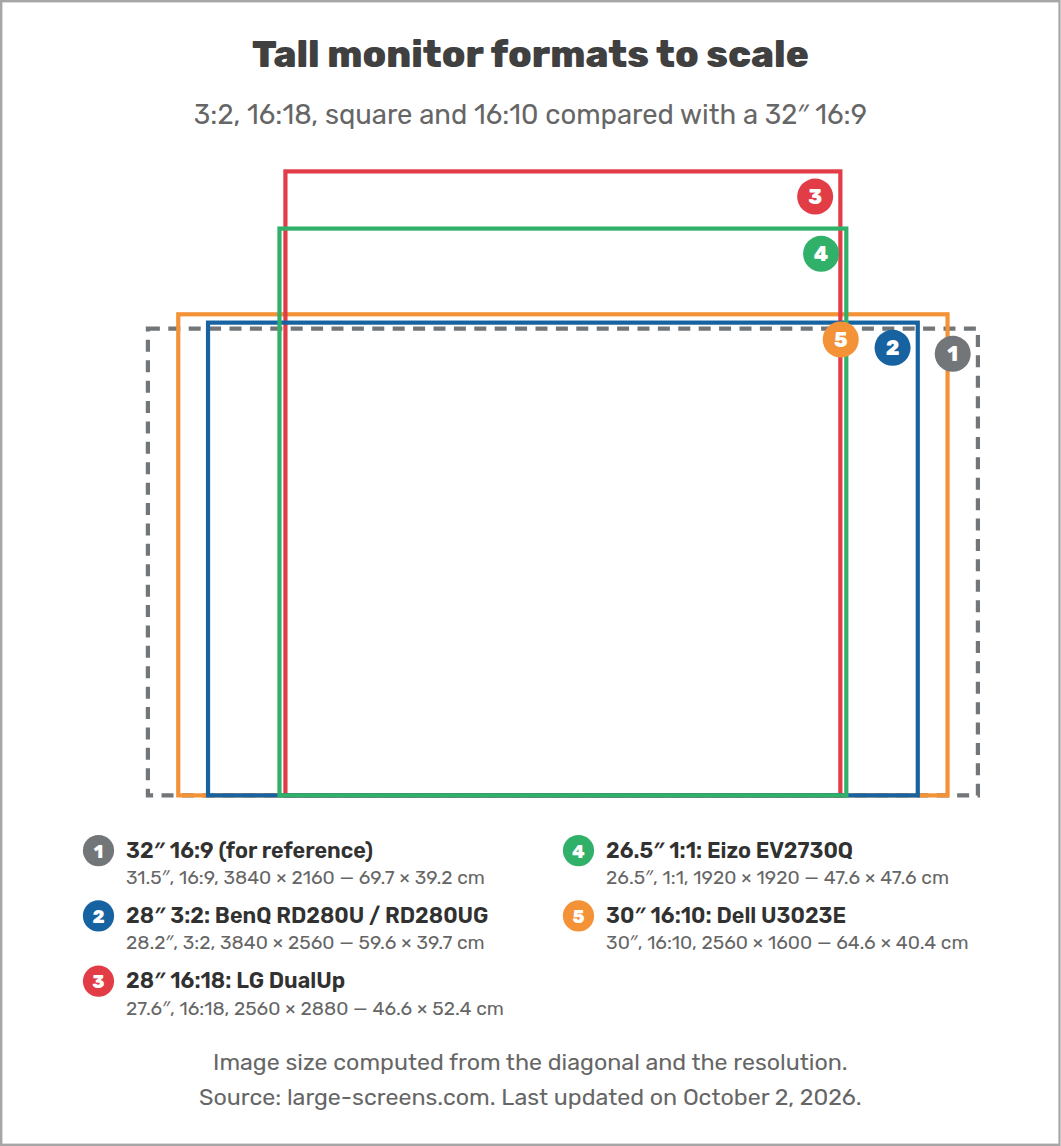
Ultrawides are great for wide timelines and side-by-side windows. But if you read long documents, write code or look at full pages, you need vertical space, and the drawing below shows where to find it.
2. Vertical space: the tallest monitors
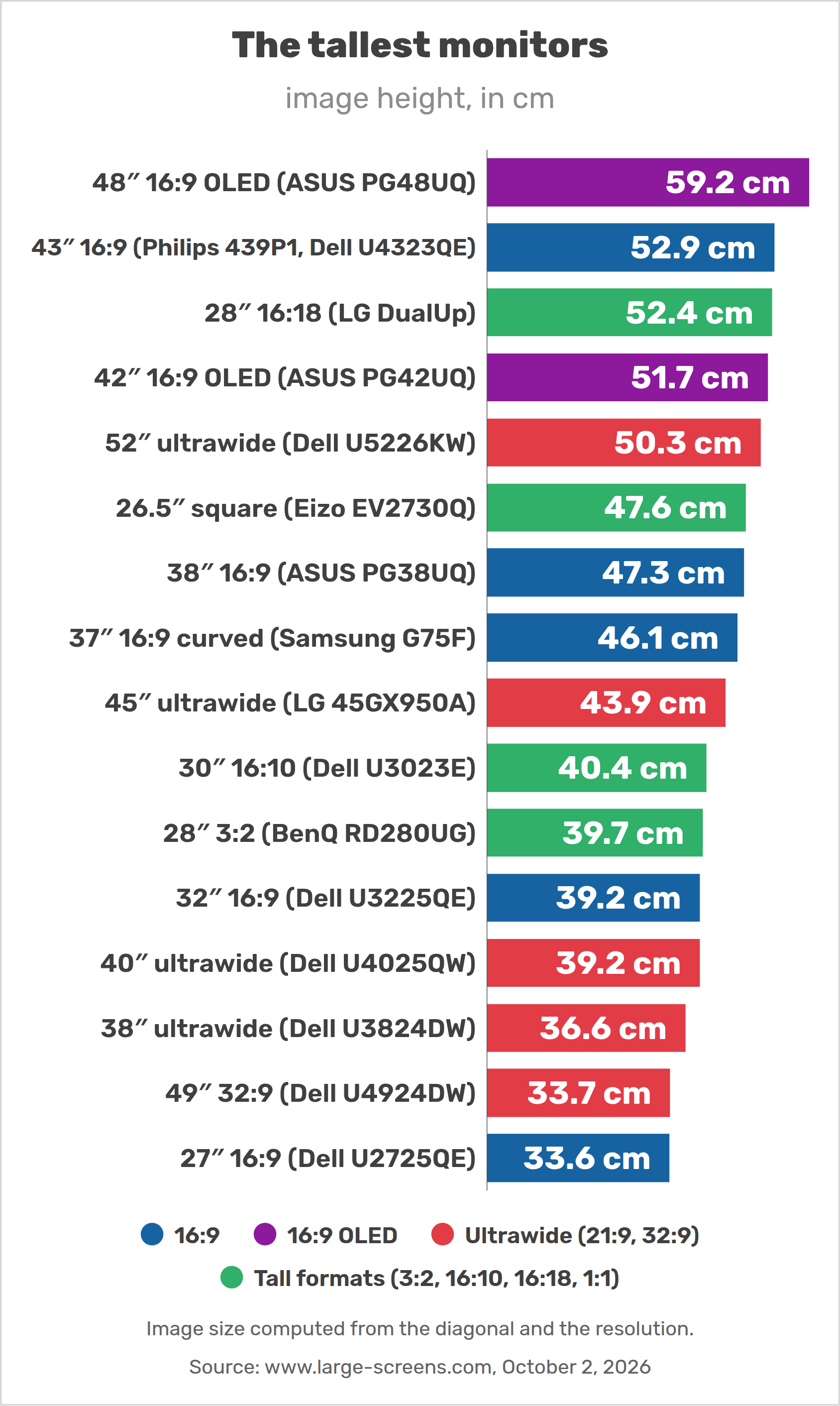
The image height decides how many lines of text you see at a given text size. Here are the tallest monitors in each format, from the 48-inch OLED (59.2 cm) to the 27-inch 16:9 reference (33.6 cm).
The main large and tall monitors, with the features that matter for work: USB-C power delivery (to charge a laptop with one cable) and a KVM switch (to use one keyboard and mouse with two computers).
| Monitor | Format | Image (W × H) | Resolution | Pixel density | USB-C power | KVM | Price |
|---|---|---|---|---|---|---|---|
| ASUS ROG Swift OLED PG48UQ | 47.5″ 16:9 WOLED |
105.2 × 59.2 cm | 3840 × 2160 | 93 ppi | no USB-C | no | — |
| Philips 439P1 | 42.5″ 16:9 VA |
94.1 × 52.9 cm | 3840 × 2160 | 104 ppi | 90 W | yes | €627 |
| Dell UltraSharp U4323QE hard to find |
42.5″ 16:9 IPS |
94.1 × 52.9 cm | 3840 × 2160 | 104 ppi | 90 W | yes | $1,200 / €979 |
| LG 43BN70U-B | 42.5″ 16:9 IPS |
94.1 × 52.9 cm | 3840 × 2160 | 104 ppi | 60 W | no | $1,525 |
| Samsung Smart Monitor M7 43″ | 42.5″ 16:9 VA |
94.1 × 52.9 cm | 3840 × 2160 | 104 ppi | 65 W | no | €399 |
| ASUS ROG Swift OLED PG42UQ | 41.5″ 16:9 WOLED |
91.9 × 51.7 cm | 3840 × 2160 | 106 ppi | no USB-C | no | — |
| ASUS ROG Swift PG38UQ | 38″ 16:9 Fast IPS |
84.1 × 47.3 cm | 3840 × 2160 | 116 ppi | no USB-C | no | $849 |
| Samsung Odyssey G7 G75F | 37″ 16:9 VA |
81.9 × 46.1 cm | 3840 × 2160 | 119 ppi | no USB-C | no | $900 / €486 |
| LG UltraGear 37G800A | 36.5″ 16:9 VA |
80.8 × 45.5 cm | 3840 × 2160 | 121 ppi | 65 W | — | $800 / €600 |
| LG DualUp 28MQ780 discontinued in the US |
27.6″ 16:18 Nano IPS |
46.6 × 52.4 cm | 2560 × 2880 | 140 ppi | 90 W | no | €600 |
| Eizo FlexScan EV2730Q Europe / Japan |
26.5″ 1:1 IPS |
47.6 × 47.6 cm | 1920 × 1920 | 102 ppi | no USB-C | no | — |
| Dell UltraSharp U3023E hard to find |
30″ 16:10 IPS |
64.6 × 40.4 cm | 2560 × 1600 | 101 ppi | 90 W | yes | €758 |
| BenQ RD280UG | 28.2″ 3:2 IPS |
59.6 × 39.7 cm | 3840 × 2560 | 164 ppi | 90 W | yes | $760 / €649 |
| BenQ RD280U / RD280UA | 28.2″ 3:2 IPS |
59.6 × 39.7 cm | 3840 × 2560 | 164 ppi | 90 W | yes | $600 / €549 |
| Kuycon P20 | 28.2″ 3:2 IPS |
59.6 × 39.7 cm | 4500 × 3000 | 192 ppi | 100 W | no | $699 |
| Huawei MateView 28.2 hard to find |
28.2″ 3:2 IPS |
59.6 × 39.7 cm | 3840 × 2560 | 164 ppi | 65 W | — | €767 |
| Dell UltraSharp U3225QE | 31.5″ 16:9 IPS Black |
69.7 × 39.2 cm | 3840 × 2160 | 140 ppi | 140 W | yes | $970 / €979 |
| Dell UltraSharp U4025QW | 39.7″ 21:9 IPS Black |
92.9 × 39.2 cm | 5120 × 2160 | 140 ppi | 140 W | yes | $2,400 / €1,786 |
| Dell UltraSharp U3824DW | 37.5″ 21:9 IPS Black |
87.9 × 36.6 cm | 3840 × 1600 | 111 ppi | 90 W | yes | $1,450 / €1,125 |
3. 38 to 48-inch 16:9 monitors
3.1 38 inches: the ASUS ROG Swift PG38UQ
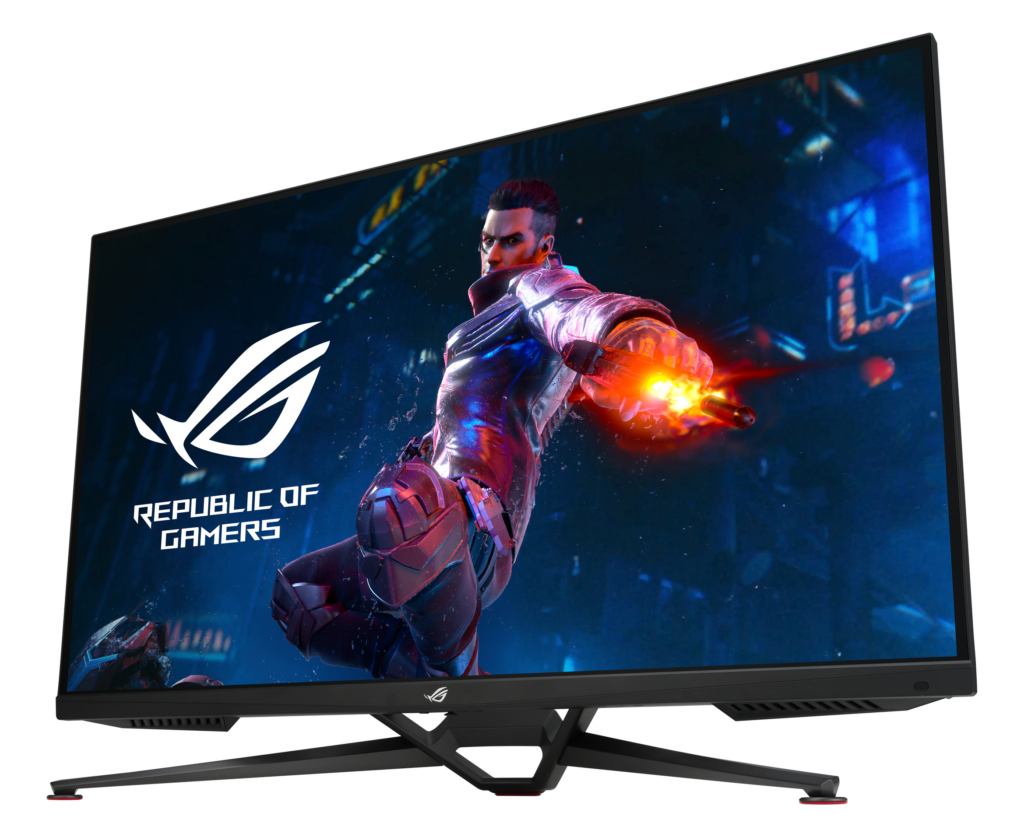
4K 16:9 monitors jump from 32 inches straight to 42.5 inches. In between, there is only one flat model: the ASUS ROG Swift PG38UQ (2023). ASUS sells it as a 38-inch monitor, and its viewing area really measures 84.1 × 47.3 cm (37.99 inches). With 3840 × 2160 pixels, it has 116 ppi: between a 27-inch 1440p monitor (109 ppi) and a 32-inch 4K (140 ppi), so text is readable without scaling at a normal desk distance (ASUS).
It is a gaming monitor (Fast IPS, 144 Hz, DisplayHDR 600), and that has drawbacks for office work: no USB-C, no KVM switch, and a stand without height adjustment or pivot. A USB-C dock and a VESA monitor arm solve most of this. Price: $849 at the ASUS store (October 2026). The author of this site uses one.
Since 2025, two curved VA gaming monitors sit just below it: the Samsung Odyssey G7 G75F (37 inches, 165 Hz, no USB-C, from about €490) and the LG UltraGear 37G800A (36.5 inches, 165 Hz, USB-C with 65 W, about $800 / €600). The classic 40-inch 4K office monitor, the Philips BDM4065UC, has been discontinued for years.
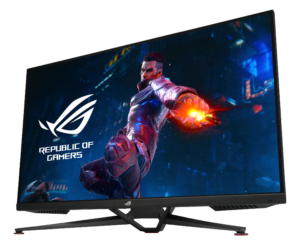
ASUS ROG Swift PG38UQ Image: ROG / ASUS
Lenovo Idea Tab Pro (12.7″, 2024; also sold as Lenovo Tab P12 2023) Image: Lenovo
Alldocube iPlay 70 Max Pro (13″, 2026) Image: Alldocube
Lenovo Legion Y900 13 (China, 2026) Image: Lenovo
3.2 42.5 to 43 inches: office 4K monitors
At 42.5 inches (sold as “43 inches”), 4K monitors have 104 ppi, close to a 27-inch 1440p monitor (109 ppi), but with more than twice the area. This is the real “100 % scaling” desktop, and the office models have the features that gaming monitors lack:
- Philips 439P1: VA panel, USB-C with 90 W, KVM switch, Ethernet, height-adjustable stand. From €627 in France (Philips).
- Dell UltraSharp U4323QE: IPS panel, USB-C with 90 W, KVM for up to four computers. The office reference, but “currently unavailable” on Dell’s US store, and Dell has not announced a successor (from €979 in France; Dell).
- LG 43BN70U-B: IPS business monitor with USB-C (60 W), but a tilt-only stand ($1,525 list price).
- Samsung Smart Monitor M7 43″: the cheapest (€399), but it is a TV-like VA monitor with a smart-TV system, no DisplayPort and a tilt-only stand.
Before you buy a 43-inch monitor, check your desk: with the stand, its top edge is roughly 60 cm or more above the desk, and you need a deep desk (or a monitor arm) to sit far enough away.
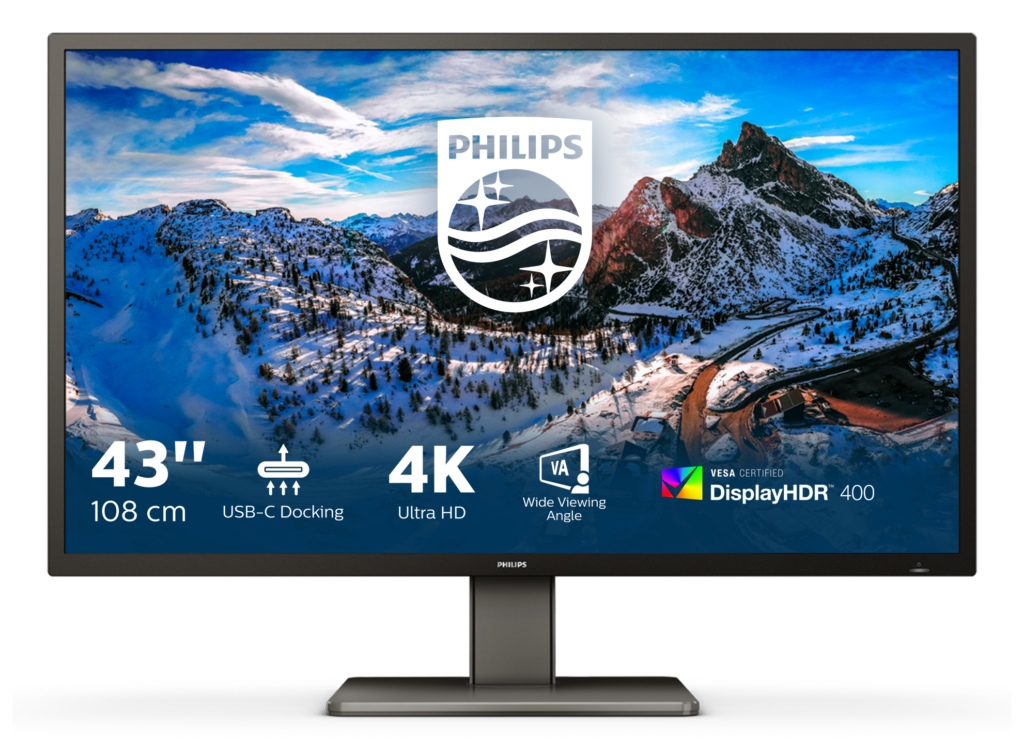
Philips 439P1 Image: MMD/Philips
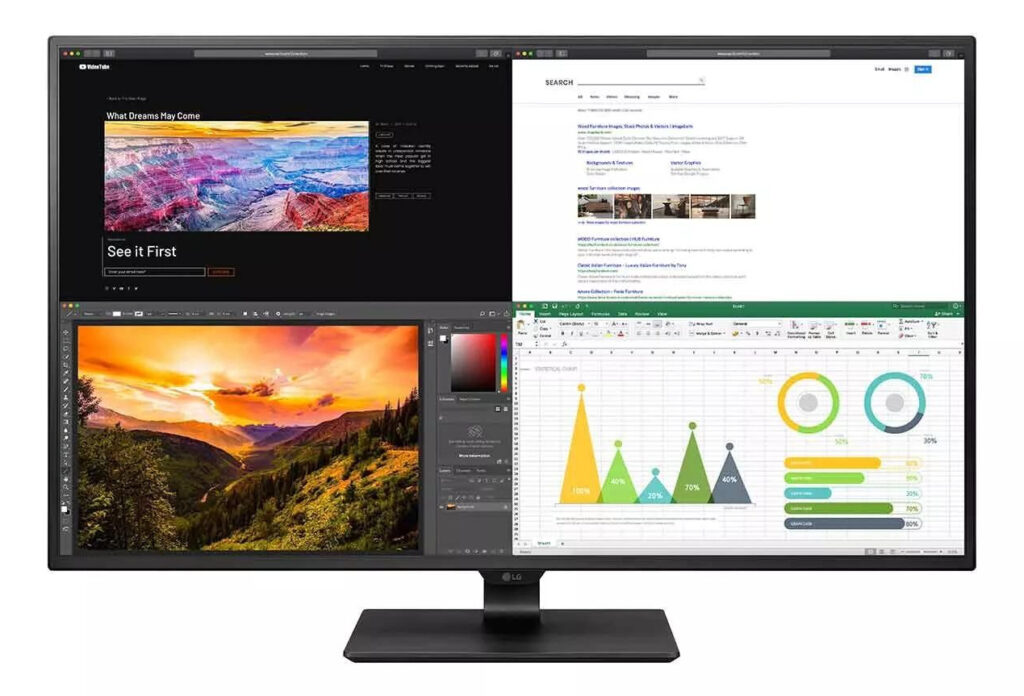
LG 43BN70U-B Image: LG
3.3 42 and 48-inch OLED monitors
42 and 48-inch 4K OLED monitors (ASUS PG42UQ and PG48UQ, Gigabyte FO48U, LG 48GQ900) are gaming and media monitors. For office work, keep two caveats in mind: the sub-pixel layout of WOLED panels makes text look slightly fringed, and static elements (taskbar, toolbars) can cause burn-in over time. At 48 inches, you need to sit at least about 90 cm away.
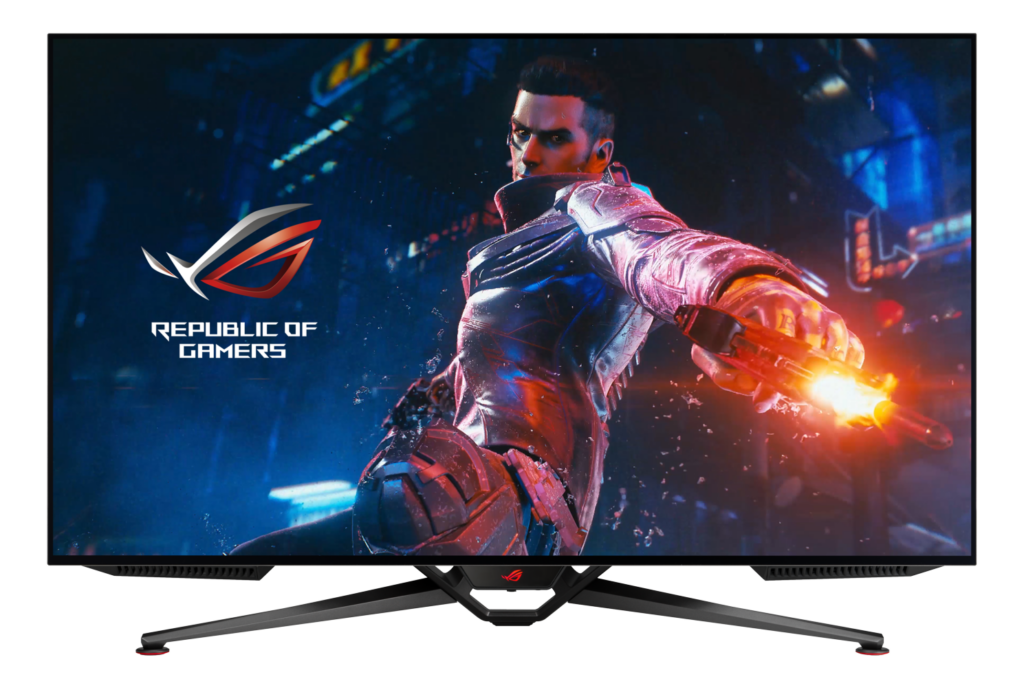
ASUS ROG Swift OLED PG42UQ Image: ROG / ASUS
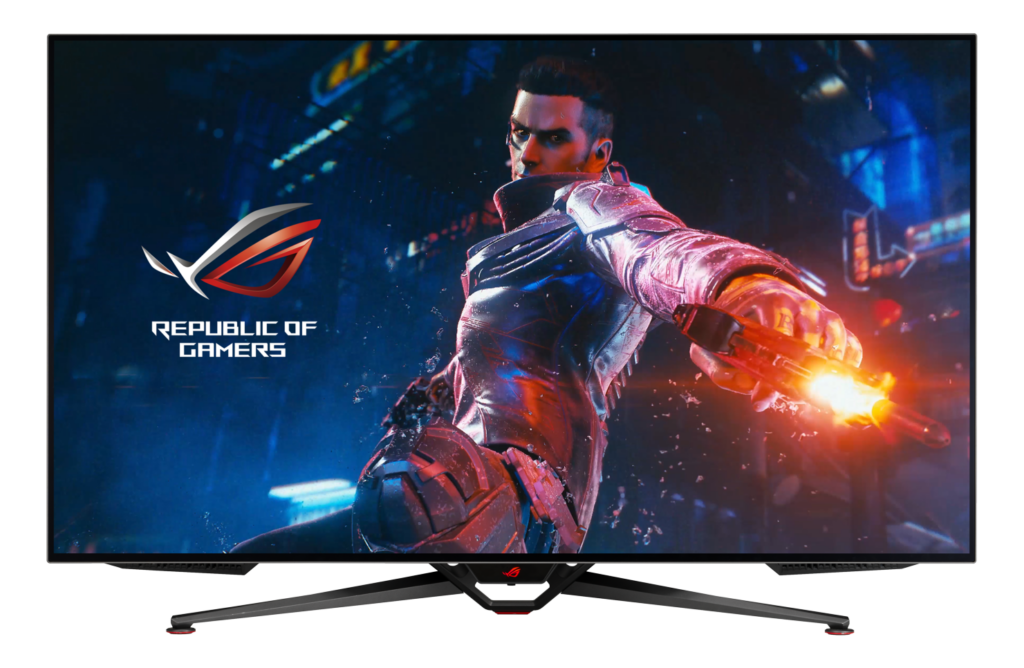
ASUS ROG Swift OLED PG48UQ Image: ROG / ASUS

GIGABYTE AORUS FO48U Image: GIGABYTE
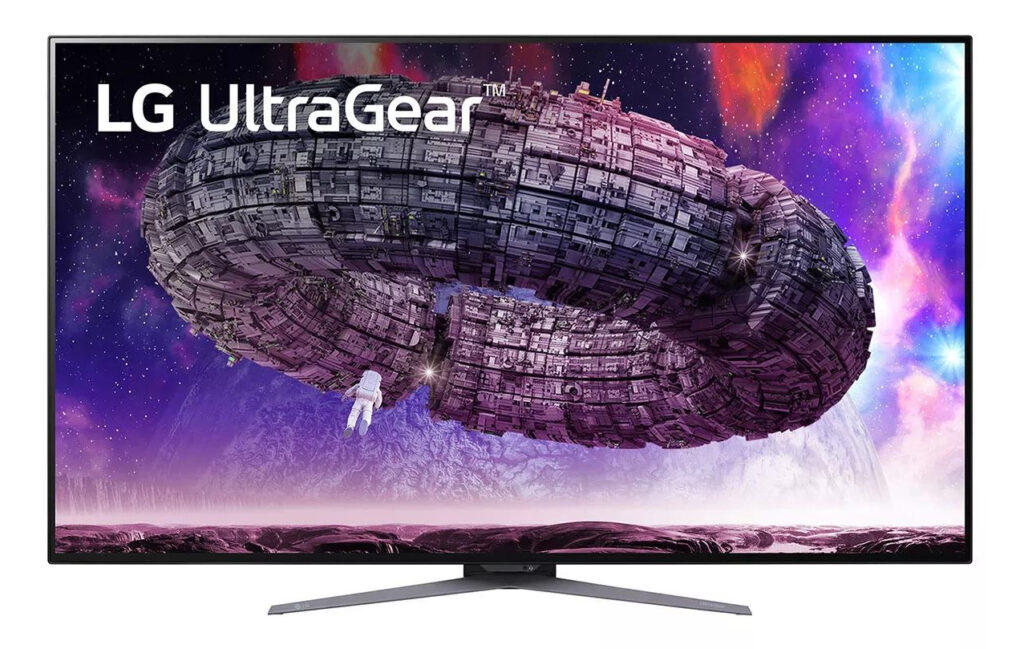
LG UltraGear 48GQ900 Image: LG
4. Tall formats: 3:2, 16:18, square and 16:10
A few monitors are taller relative to their width than 16:9. Each format is a niche of one or two models:
- 3:2 (28.2 inches): the only real category. BenQ makes the RD280U (60 Hz, USB-C 90 W, KVM, from €549), the RD280UA (same panel on a monitor arm with pivot) and, since 2026, the RD280UG with 120 Hz and a pivoting stand ($759.99 / €649; BenQ). The Kuycon P20 has even more pixels (4500 × 3000, 192 ppi, $699 at ClickClack); Huawei’s MateView 28.2 is getting hard to find. A 3:2 monitor is as wide as a 27-inch 16:9 (59.6 cm) and as tall as a 32-inch (39.7 cm).
- 16:18: the LG DualUp (27.6 inches, 2560 × 2880) is as tall as a 43-inch 16:9 monitor while being only 46.6 cm wide. LG marks it as discontinued in the US, and there is no successor.
- Square (1:1): the Eizo FlexScan EV2730Q (26.5 inches, 1920 × 1920) is the only one. A 32-inch square monitor, which many people search for, does not exist.
- 16:10 above 24 inches: only the Dell UltraSharp U3023E (30 inches, 2560 × 1600, USB-C 90 W, KVM), which is getting hard to find. There is no 32-inch 16:10 monitor and no 3840 × 2400 desktop monitor.
- 4:3 and 5:4: the largest one sold today is the Eizo FlexScan S2134 (21.3 inches, 4:3).
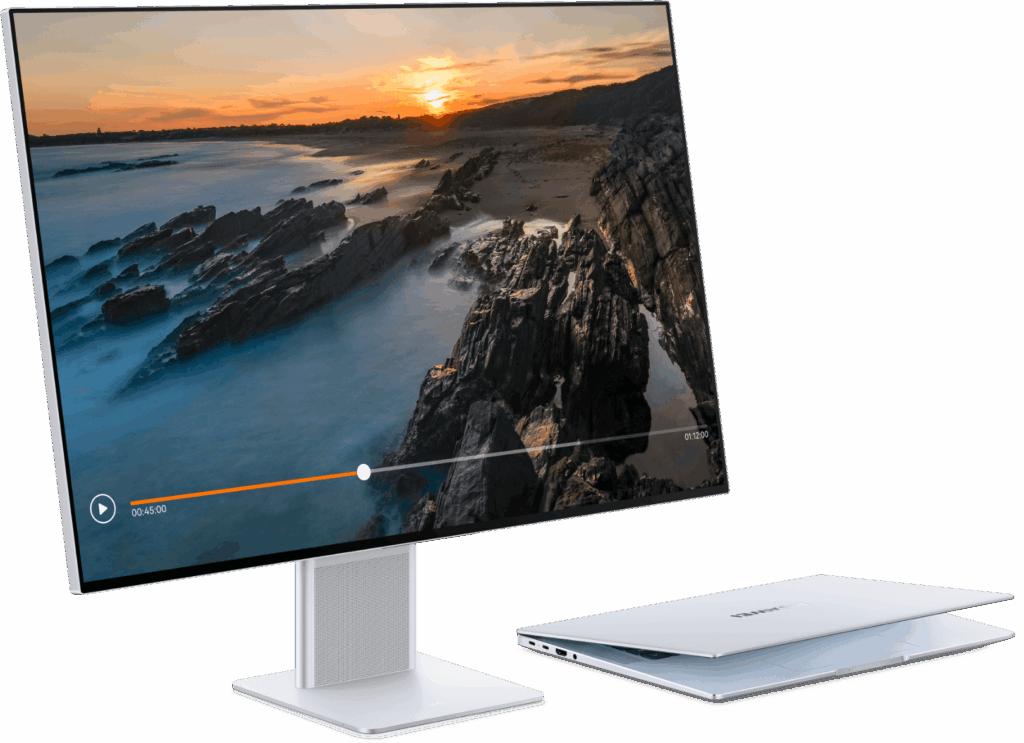
Huawei MateView 28.2 Image: Huawei

BenQ RD280U Image: BenQ
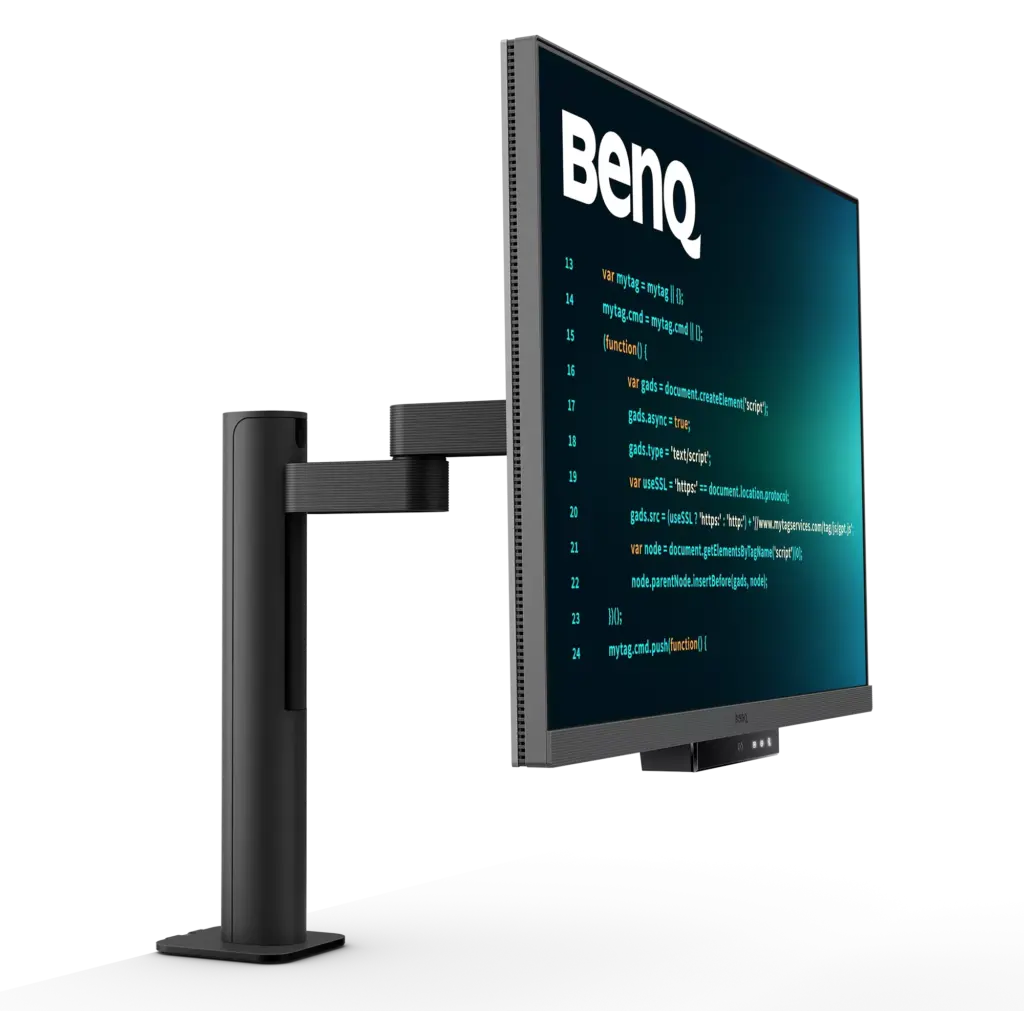
BenQ RD280UA Image: BenQ

BenQ RD280UG Image: BenQ

5. Pixel density and viewing distance
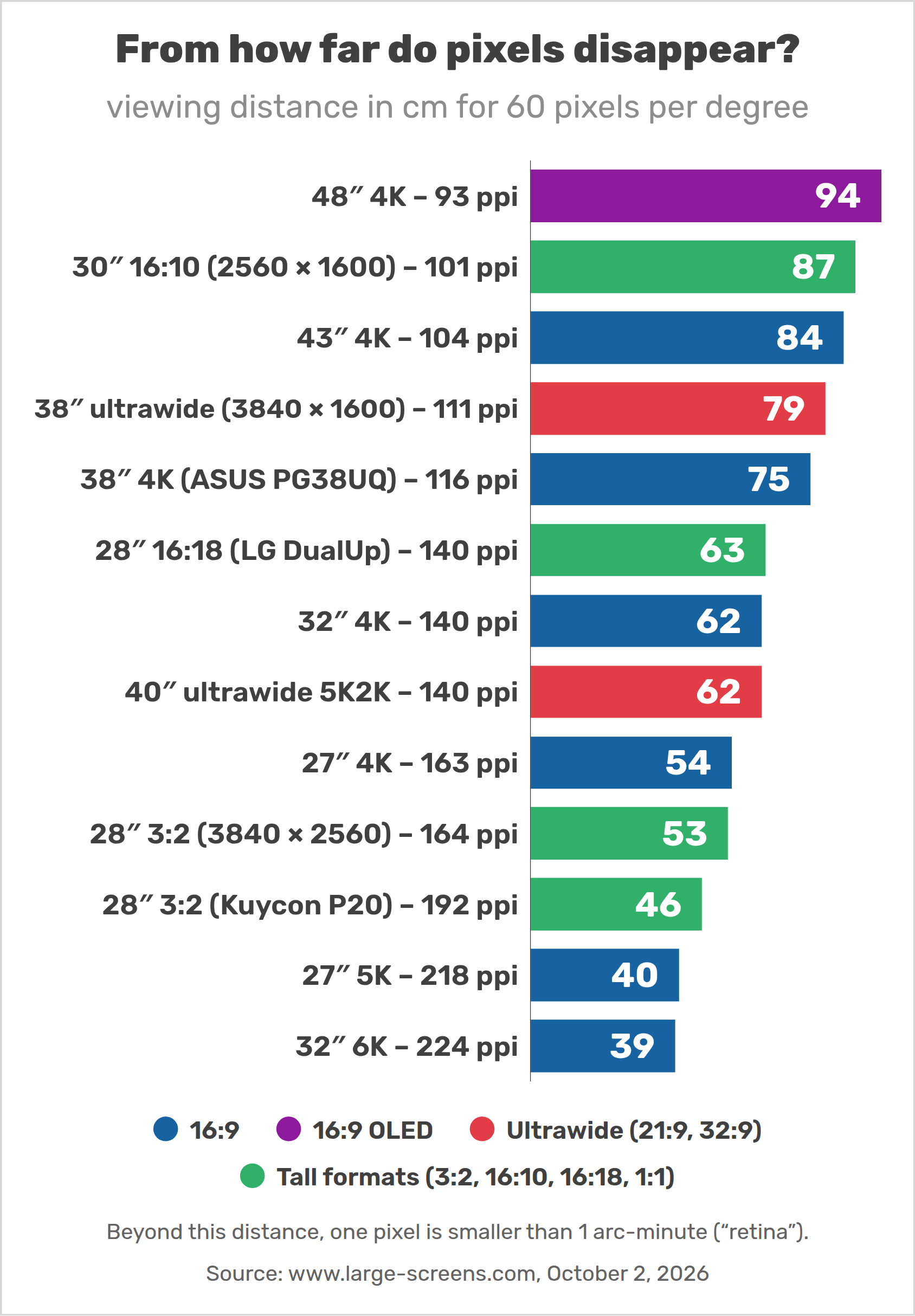
Is a large 4K monitor sharp enough? It depends on the distance. The chart below shows, for each monitor, the distance from which you can no longer see individual pixels (one pixel = 1 arc-minute, or 60 pixels per degree — the usual definition of a “retina” display).
A 38-inch 4K monitor reaches this point at 75 cm and a 43-inch at 84 cm: at the distance at which you would use them anyway, they look as sharp as a 5K or 6K monitor at 40 cm. High-density 5K and 6K monitors are mainly useful on a Mac, where macOS displays everything at exactly twice the size (“looks like 2560 × 1440” on a 27-inch 5K).
6. Desk, distance and ergonomics
- Distance: about 70–80 cm for a 38-inch monitor, 80–90 cm for 43 inches, 90 cm or more for 48 inches. Measure the depth of your desk before buying, or use a monitor arm to push the screen back.
- Height: the top of the image should be at or slightly below eye level. Large 16:9 monitors are tall: lower the stand as much as possible, or use an arm (check its weight and VESA limits).
- Flat or curved? Up to about 43 inches, flat monitors are fine for office work and keep straight lines straight. Curved panels help with very wide monitors.
- Portrait mode: a 16:9 monitor turned by 90° becomes a very tall screen, but the 60 Hz panels of many office monitors make scrolling look jerky in portrait mode, and not every stand can rotate.
7. Price per area: which monitor gives you the most screen?
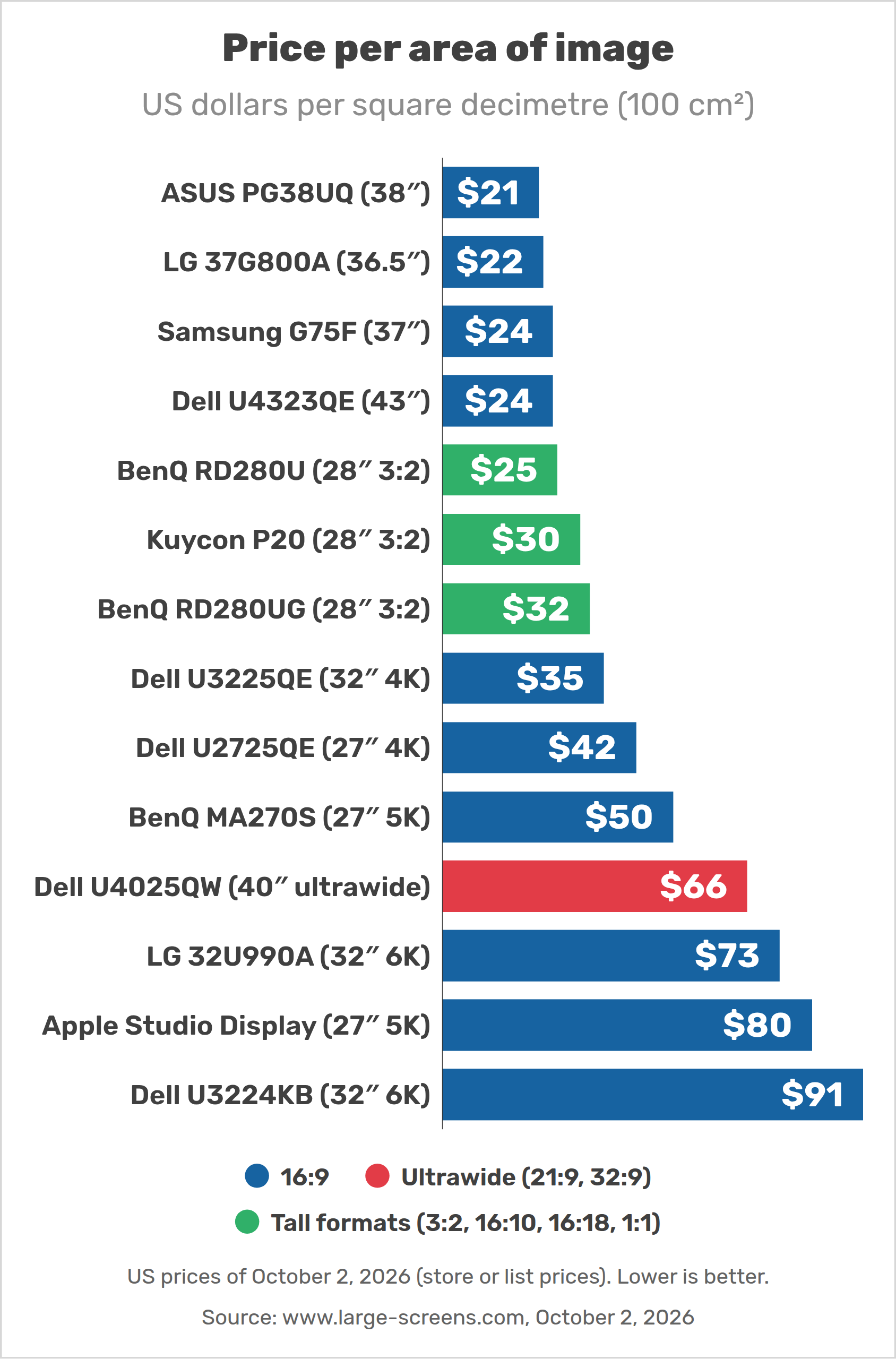
Large 16:9 monitors give you the most image for your money: the PG38UQ costs about $21 per square decimetre of image, against $35 for a 32-inch 4K office monitor and $80 for Apple’s Studio Display. In Europe, the Philips 439P1 (€13 per dm²) and the Samsung M7 43″ (€8 per dm²) are the area-per-euro champions. High-density monitors are the opposite: expensive per area, but cheap per pixel.
8. Which monitor for which job?
- Code and long documents: a 43-inch 4K office monitor (Philips 439P1) or a 3:2 BenQ RD280UG.
- Office work with a laptop: a model with USB-C power delivery and a KVM switch (Philips 439P1, Dell U4323QE, BenQ RD280U/UG, Dell U3023E).
- Office work and gaming: the 38-inch ASUS PG38UQ, with a dock.
- Mac users who want sharp text: a 27-inch 5K or 32-inch 6K monitor (see our coming article on 5K and 6K monitors).
- Sheet music and full pages: a tall format: 3:2, 16:18 (if you can still find an LG DualUp) or a 43-inch 16:9 monitor, which shows two A4 pages side by side at full size.
9. FAQ: large monitors for work
Not if your desk is deep enough: at 80–90 cm, a 43-inch 4K monitor shows text at a comfortable size without scaling, and replaces two or three smaller monitors. On a shallow desk (60 cm), a 32 or 38-inch monitor is more comfortable.
The image of a 43-inch (42.5-inch) 16:9 monitor is 94.1 cm wide and 52.9 cm tall. With the frame and the stand, the whole monitor is taller: check the manufacturer’s dimensions.
Among monitors made for desks, 16:9 OLED gaming monitors of 48 inches have the tallest image (59.2 cm). For office work, 43-inch 4K monitors (52.9 cm) and the LG DualUp (52.4 cm, discontinued) are the tallest.
Yes, one flat model: the ASUS ROG Swift PG38UQ (4K, 144 Hz). The Samsung Odyssey G7 G75F (37 inches) and the LG 37G800A (36.5 inches) are curved. Most “38-inch” monitors are ultrawides (3840 × 1600), which are 10 cm less tall.
No. The only square monitor is the 26.5-inch Eizo EV2730Q, and the largest 16:10 monitor is the 30-inch Dell U3023E. The closest alternatives are a 28-inch 3:2 monitor or a 43-inch 16:9 monitor.
Yes, many people do, but TVs often lack DisplayPort and USB-C, process the image (input lag, sharpening), and some do not show text sharply unless they support full chroma (4:4:4). An office monitor like the Philips 439P1 avoids these problems.